What Is Immigration Client Intake Software?
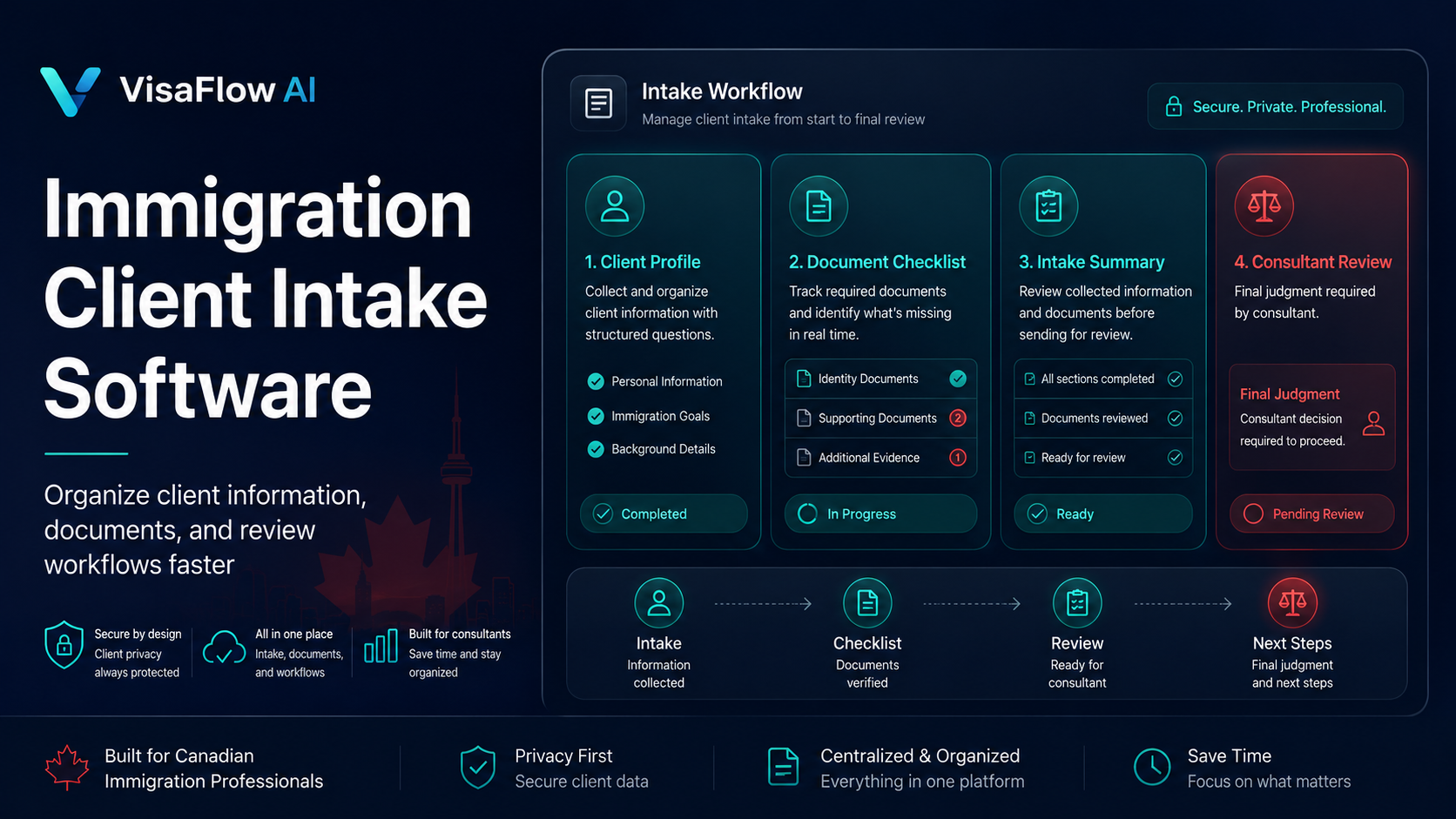
Immigration client intake software helps firms collect, organize, and prepare client information before or during case onboarding. It is designed specifically for the type of information immigration consultants need to gather and the workflows they follow once that information is collected.
A well-designed intake tool typically handles:
- Contact and identification details. Basic client information, contact preferences, and identification references.
- Immigration goals. The type of application or status the client is seeking and their timeline expectations.
- Current immigration status. Existing permits, visas, or applications in progress.
- Family composition. Spouse, dependants, and other family members who may be included in the application.
- Work and education history. Relevant background information for program eligibility assessment.
- Travel history. Recent travel that may affect application requirements.
- Document needs. An initial view of what documents will be required based on the client's situation.
- Notes for professional review. Space for the consultant or intake team to record observations and questions.
The tool supports organization and preparation. It does not provide final legal or immigration advice. Consultants review all collected information, verify details against official sources, and apply their professional judgment before determining next steps.
Why Manual Intake Slows Immigration Firms Down
Many immigration firms still manage client intake through a patchwork of emails, PDF forms, phone notes, and spreadsheets. While this approach can work, it creates friction that adds up across every file:
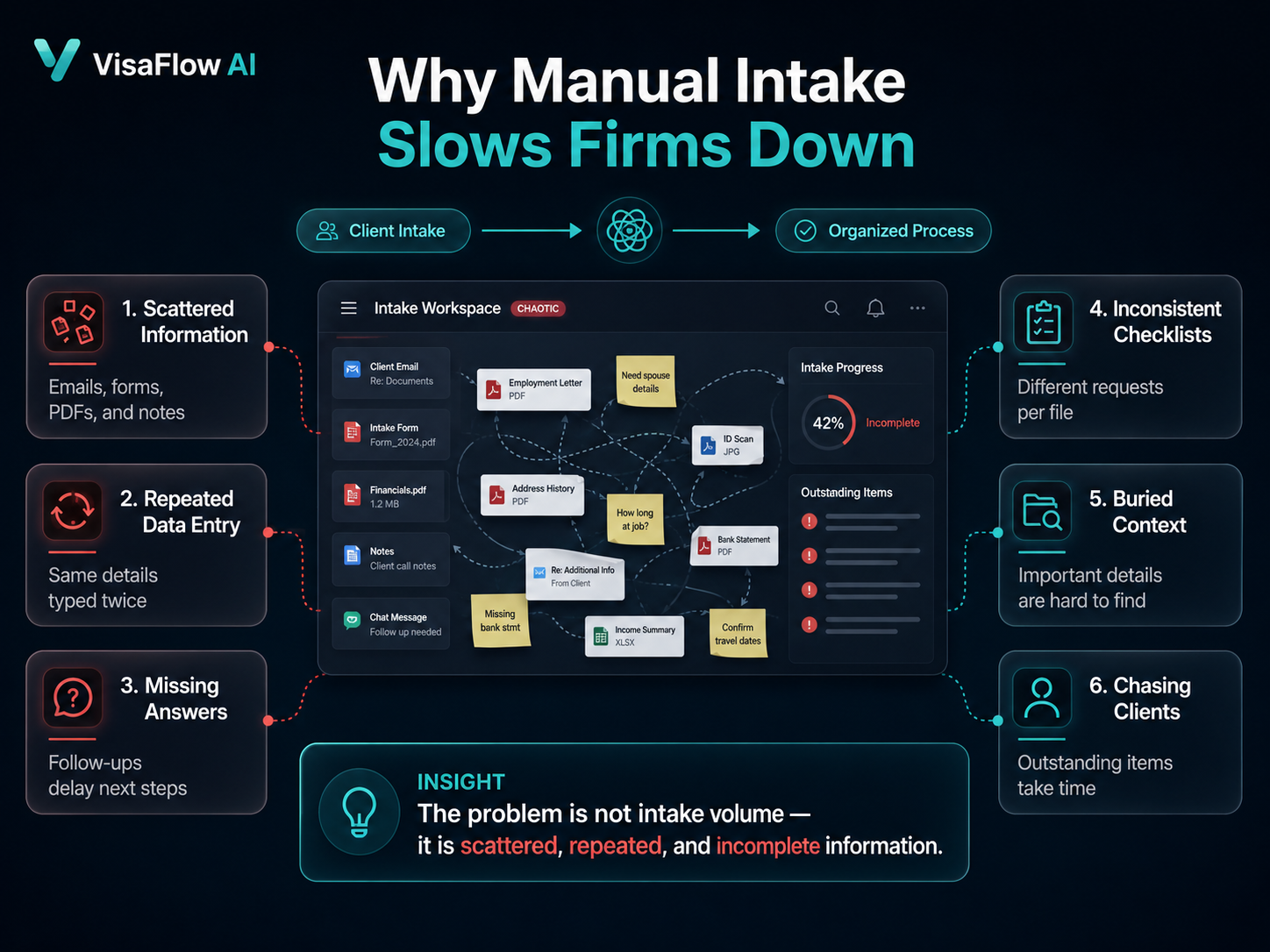
- Information arrives in scattered formats. Clients send details across email, online forms, PDF attachments, and messages — requiring consultants or admin staff to consolidate everything manually.
- Data gets retyped multiple times. The same client details are entered into intake notes, then re-entered into case records, spreadsheets, and checklists.
- Missing answers delay next steps. Incomplete intake means follow-up emails, phone calls, and back-and-forth that could have been avoided with a structured process.
- Document requests become inconsistent. Without a standardized checklist tied to the intake process, different team members may request different documents for the same application type.
- Staff spend time chasing clients. Following up on missing information and outstanding documents can consume hours each week.
- Important context gets buried. Scattered intake information makes it harder for consultants to get a complete picture of the client's situation before the first consultation.
- Every consultant develops their own process. Without a shared intake workflow, consistency suffers as team members handle intake differently.
These problems are not solved by working harder. They are solved by having a structured intake process supported by the right tools.
Core Features to Look For
When evaluating immigration client intake software, here are the features that make the biggest difference for Canadian immigration practices:
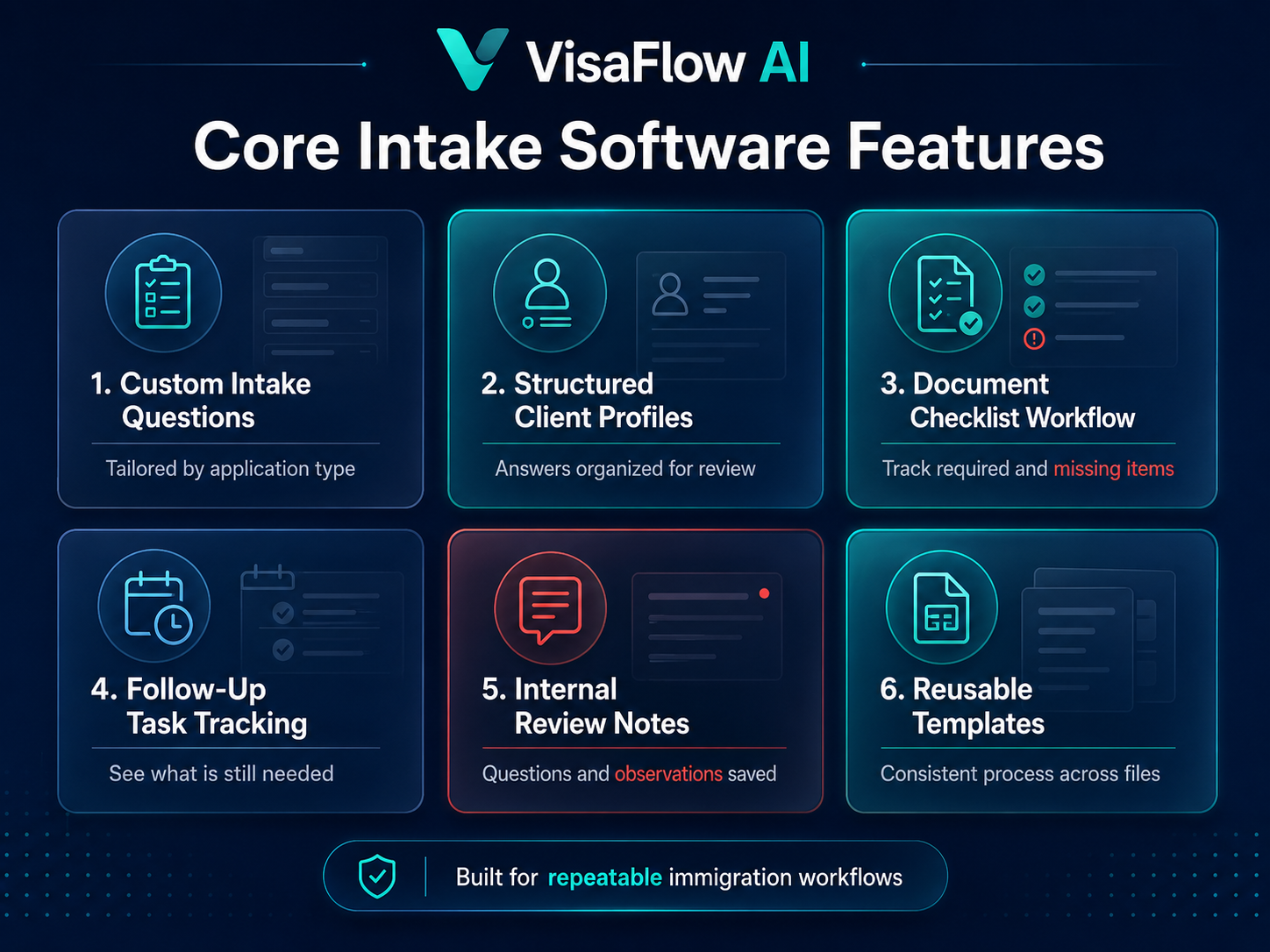
- Customizable intake questions. The ability to tailor questions to different application types and consultant preferences.
- Structured client profiles. Intake answers organized into a clear, reviewable client profile rather than scattered notes.
- Document checklist workflows. Integration between intake answers and document requirement tracking for common application types.
- Follow-up task tracking. Visibility into what information is still needed and what next steps are pending.
- Internal notes. Space for the consultant or team to add observations, questions, and review notes during intake.
- Reusable templates. Standardized intake templates that can be applied consistently across similar cases.
- Secure information handling. Appropriate privacy and security practices for sensitive client data.
- Team visibility. Shared access so that team members can view intake status without duplicating work.
- AI-assisted summarization. Tools that help organize intake answers into structured summaries for consultant review (with verification required).
- Clear review workflow. A defined process where the consultant reviews intake information, verifies key details, and determines next steps before any advice or filing decisions are made.
How AI-Assisted Intake Workflows Can Help
AI-assisted intake workflows can reduce the manual effort of processing client information, but they must be used within clear boundaries. Here is how AI can support the intake process without replacing professional review:
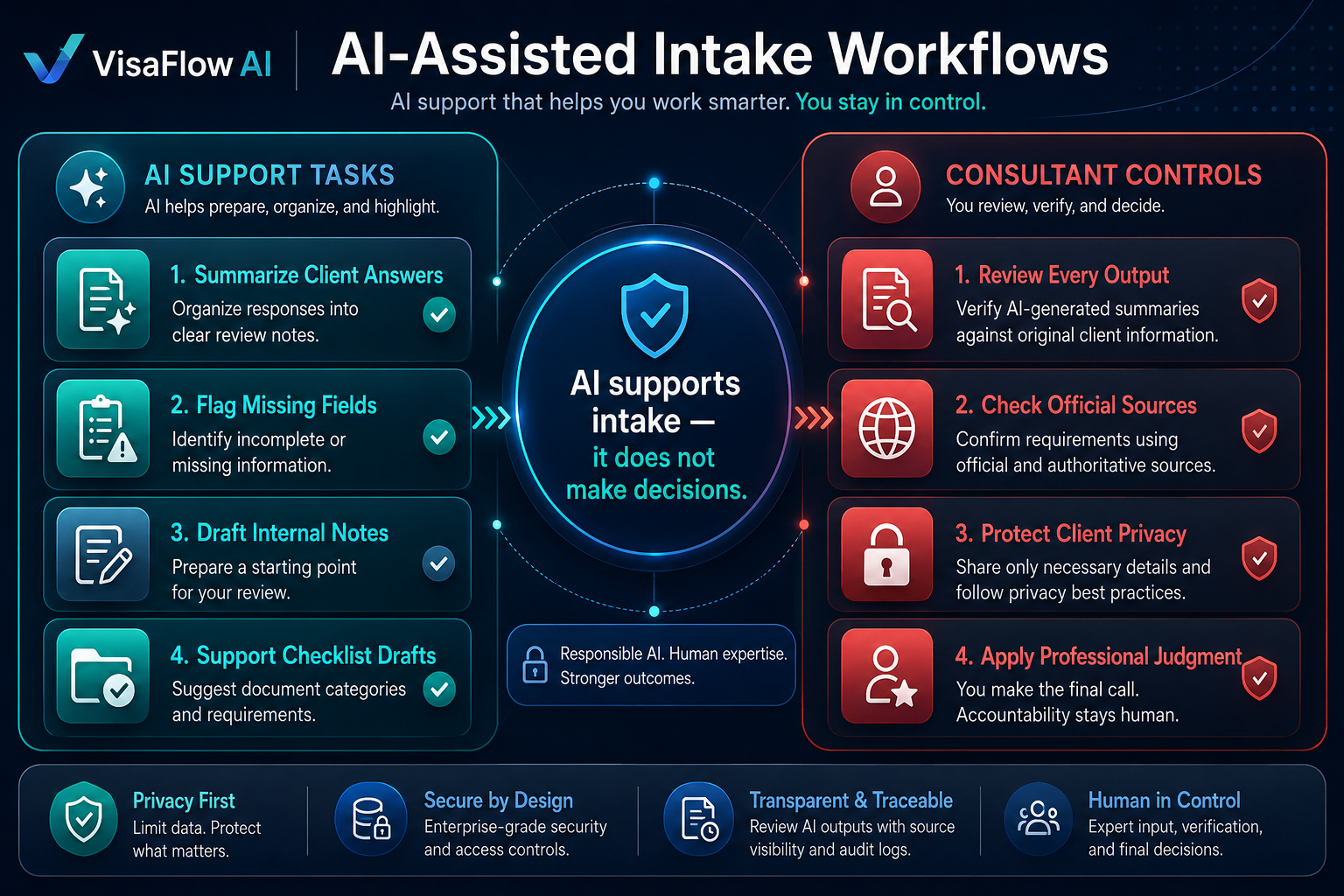
- Summarizing client answers. AI can organize intake responses into a structured summary that the consultant reviews, verifies, and customizes.
- Identifying common missing fields. AI can flag incomplete sections based on the application type, helping the team follow up efficiently.
- Preparing internal case notes. AI can draft a starting set of case notes from intake information for the consultant to refine.
- Supporting checklist preparation. AI can generate a document checklist draft based on the client's stated goals and situation.
Important: Consultants must review all AI-generated outputs, verify details against the client's original information and official sources, and apply their professional judgment before taking any action. AI supports the workflow — it does not make decisions.
For a broader look at how AI tools can be used safely in immigration practice, see Best AI Tools for Immigration Consultants in Canada.
Client Intake Software vs General Forms
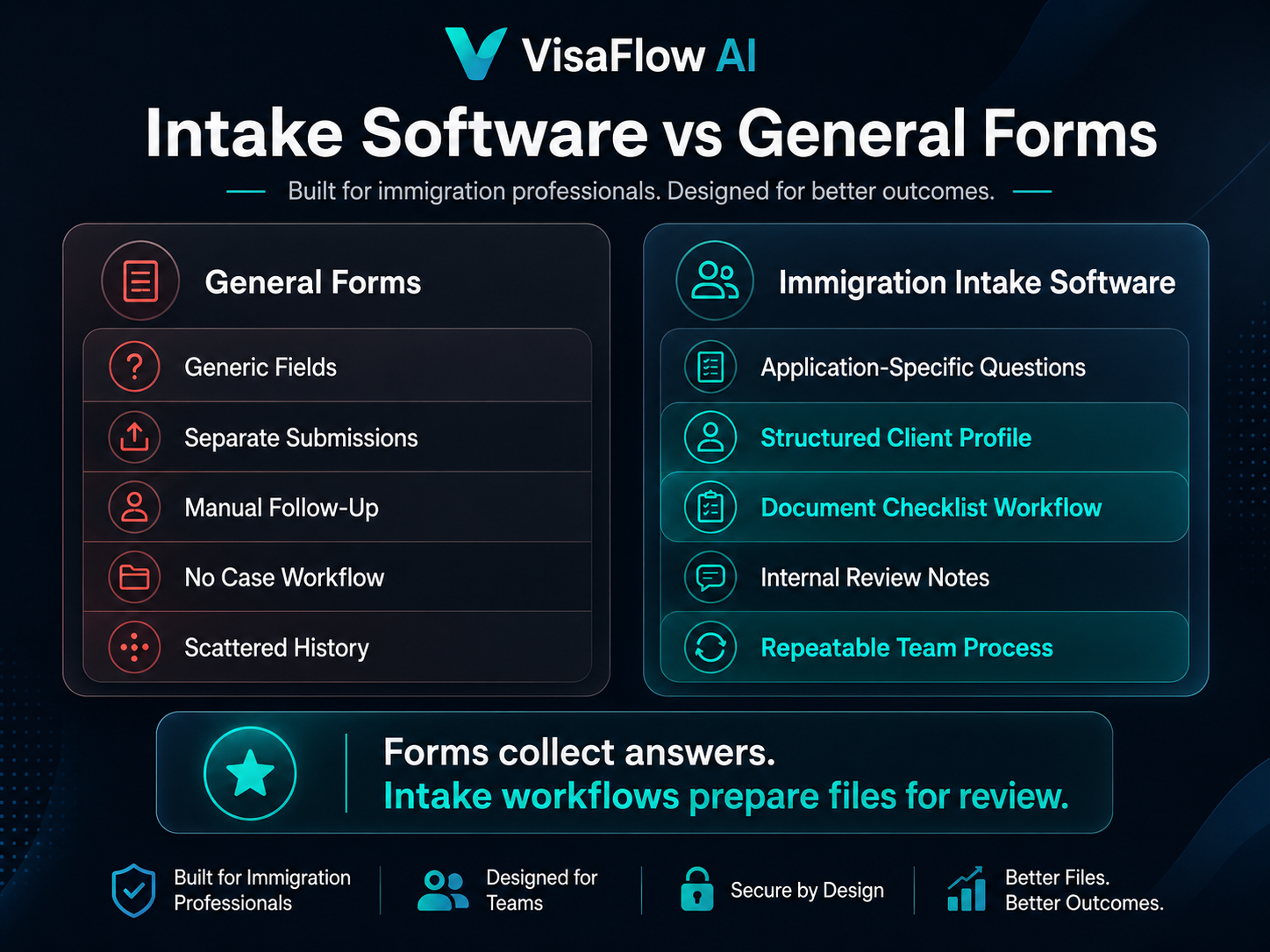
General online form builders can collect client information, but they lack the immigration-specific workflows that make intake useful for case preparation. Here is how the two approaches compare:
| Workflow Need | General Forms | Immigration Client Intake Software |
|---|---|---|
| Immigration-specific questions | Generic fields with no immigration context | Questions tailored to application types and consultant workflows |
| Document checklist preparation | No integration between intake answers and document needs | Checklist drafts generated from intake context, reviewed by consultant |
| Internal case notes | No built-in note-taking connected to intake | Structured notes linked to client profile for consultant review |
| Follow-up tracking | Manual tracking of missing information | Visibility into outstanding items and next-step tracking |
| Team workflow consistency | Every team member builds their own process | Shared intake templates and consistent workflows |
| Client history organization | Information stored in separate submissions | Structured client profile with organized history |
| Professional review | No built-in review workflow | Defined review process before any advice or filing decisions |
| Repeatable process | Recreated from scratch each time | Reusable templates and consistent intake workflow |
Intake Workflow Example
A structured intake workflow helps ensure that client information is collected, organized, and reviewed consistently. Here is an example of how an immigration firm might use client intake software:
- Client submits intake information. The client completes a structured intake questionnaire tailored to their application type and situation.
- Team reviews missing information. The intake team or consultant reviews the submission and identifies any incomplete or unclear answers that require follow-up.
- Software organizes answers into a structured profile. Client responses are organized into a clear profile that the consultant can review efficiently.
- Consultant reviews goals and context. The consultant reads the organized intake, verifies key details, and notes any questions or observations.
- Document checklist workflow is prepared. A document checklist is generated or customized based on the client's stated goals and application type.
- Internal notes and next steps are created. The consultant or team adds case notes, flags outstanding items, and determines the next workflow steps.
- Professional review happens before advice or filing decisions. The consultant performs a final review of all intake information before providing advice, preparing applications, or making filing decisions.
This structured approach reduces the time spent on manual organization and follow-up while ensuring every file receives consistent attention during intake.
Where VisaFlow AI Fits
VisaFlow AI is an AI-assisted workflow platform designed for Canadian immigration professionals. It helps firms organize client intake information, prepare document checklist workflows, support source-backed research, and keep internal case notes — all while keeping professional review at the center.
VisaFlow AI supports the intake workflow with:
- Client intake organization. Structured workspace for client information instead of scattered emails, forms, and notes.
- Document checklist workflows. Reusable checklist drafts generated from intake context, reviewed and customized by the consultant.
- Source-backed research organization. Find and organize IRCC program requirements with source references for verification.
- Internal case preparation notes. Keep structured notes and review findings organized per client file.
- Repeatable workflows. Standardized intake and preparation processes that help teams work consistently across every file.
VisaFlow AI acts as a productivity layer for immigration teams that want more organized intake, checklist, and research workflows. It does not replace professional judgment or provide legal advice.
For a broader overview of immigration consultant software built for Canadian workflows, visit the dedicated page. See the VisaFlow AI features page for a full overview. For pricing, visit the pricing page. For questions, contact the VisaFlow AI team.
Privacy, Compliance, and Professional Responsibility
Using intake software responsibly is part of maintaining professional standards as an immigration consultant. Keep these considerations in mind:
- Protect sensitive client information. Choose tools designed for professional use with appropriate security and privacy practices for handling personal data.
- Only collect information needed for the workflow. Avoid requesting unnecessary personal details during intake. Collect what is relevant to the application type and professional review process.
- Avoid putting unnecessary personal details into tools. Be thoughtful about what information is shared with software platforms, especially AI-assisted tools.
- Maintain professional standards. Intake software supports the workflow but does not reduce the consultant's responsibility for every file, communication, and application.
- Consultants remain responsible for review and advice. The consultant must review all intake information, verify details against official sources, and apply professional judgment before providing advice or making filing decisions.
- AI-generated summaries should be checked. Any AI-assisted intake summaries, checklists, or notes must be reviewed and verified against the client's original information and official sources.
- VisaFlow AI is not affiliated with IRCC. It is an independent productivity tool. Users must verify all information against official government sources.
Checklist for Choosing Immigration Client Intake Software
Use this checklist to evaluate whether a platform fits your intake workflow needs:
Intake Software Evaluation Checklist
- Can the intake questions be customized for different application types?
- Does it support immigration-specific workflows, not just generic form collection?
- Does it organize client answers into structured, reviewable profiles?
- Does it help with document checklist preparation and tracking?
- Does it reduce back-and-forth follow-up with clients?
- Does it support internal review and case preparation workflows?
- Does it fit your privacy and data handling requirements?
- Does it work for solo consultants and team-based practices?
- Does the vendor avoid unsafe claims about guarantees or IRCC affiliation?
- Does it connect intake to next-step workflows rather than leaving information isolated?
For additional guidance on selecting the right tools, see Best Immigration Consultant Software in Canada and Immigration Case Management Software vs AI Workflow Software.
Frequently Asked Questions
Immigration client intake software helps consultants collect, organize, and prepare client information before or during case onboarding. It typically includes customizable intake questions, structured client profiles, document checklist workflows, internal notes, and team visibility features designed for immigration practice.
Solo RCICs, small immigration firms, intake coordinators, admin teams, and any immigration professional who spends significant time collecting and organizing client information. It is especially useful for consultants managing multiple client files who want a more consistent intake process.
No. Intake software is a workflow productivity tool. It helps organize client information and prepare case materials, but it does not replace the professional judgment, legal knowledge, or regulatory responsibility of a licensed immigration consultant. Every file, communication, and application remains the consultant's responsibility.
AI-assisted intake workflows can help summarize client information, organize answers into structured profiles, identify missing fields, prepare internal notes, and support document checklist preparation. All AI-generated outputs must be reviewed and verified by the consultant against the client's original information and official sources.
No. VisaFlow AI is a productivity and workflow support tool. It does not provide legal advice, immigration representation, or any service that requires licensing as a regulated immigration professional. All outputs must be reviewed and verified by a qualified consultant or authorized team member.
No. VisaFlow AI is not affiliated with IRCC, the Government of Canada, or CICC. It is an independent productivity software product for Canadian immigration professionals. Users should always verify information against official IRCC sources.
Typical intake information includes contact details, immigration goals, current status, family composition, work and education history, travel history, document needs, and any relevant notes for professional review. The specific questions depend on the application type and the consultant's workflow.
Yes. Many intake platforms include document checklist workflows that help track which documents have been received and which are still outstanding. This reduces the manual effort of recreating checklists for each client and helps streamline the intake-to-preparation workflow.
VisaFlow AI is designed to support immigration consultant workflow productivity. It does not provide legal advice, replace professional judgment, guarantee immigration outcomes, or imply affiliation with IRCC or the Government of Canada. All outputs must be reviewed and verified against official sources by the consultant or authorized team member.