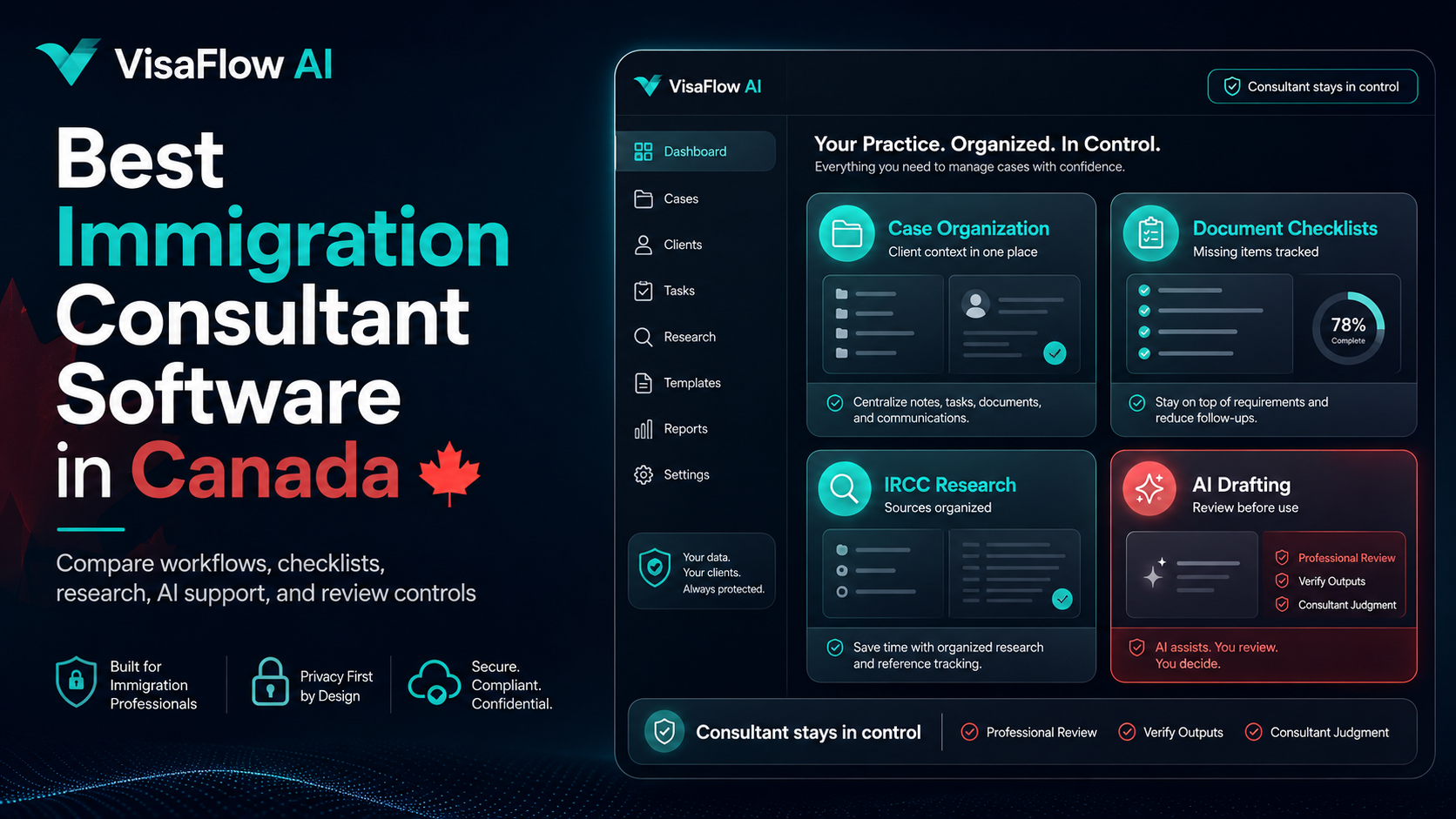
Why Immigration Consultants Need Better Software
Immigration consultants in Canada handle a wide range of tasks that involve organization, communication, documentation, and research. Client files arrive through email, documents come as PDFs or scanned copies, checklists need to be created and tracked, and follow-ups must be sent consistently. Without a central workspace designed for these workflows, consultants can end up spending more time on admin than on client work.
Common pain points include:
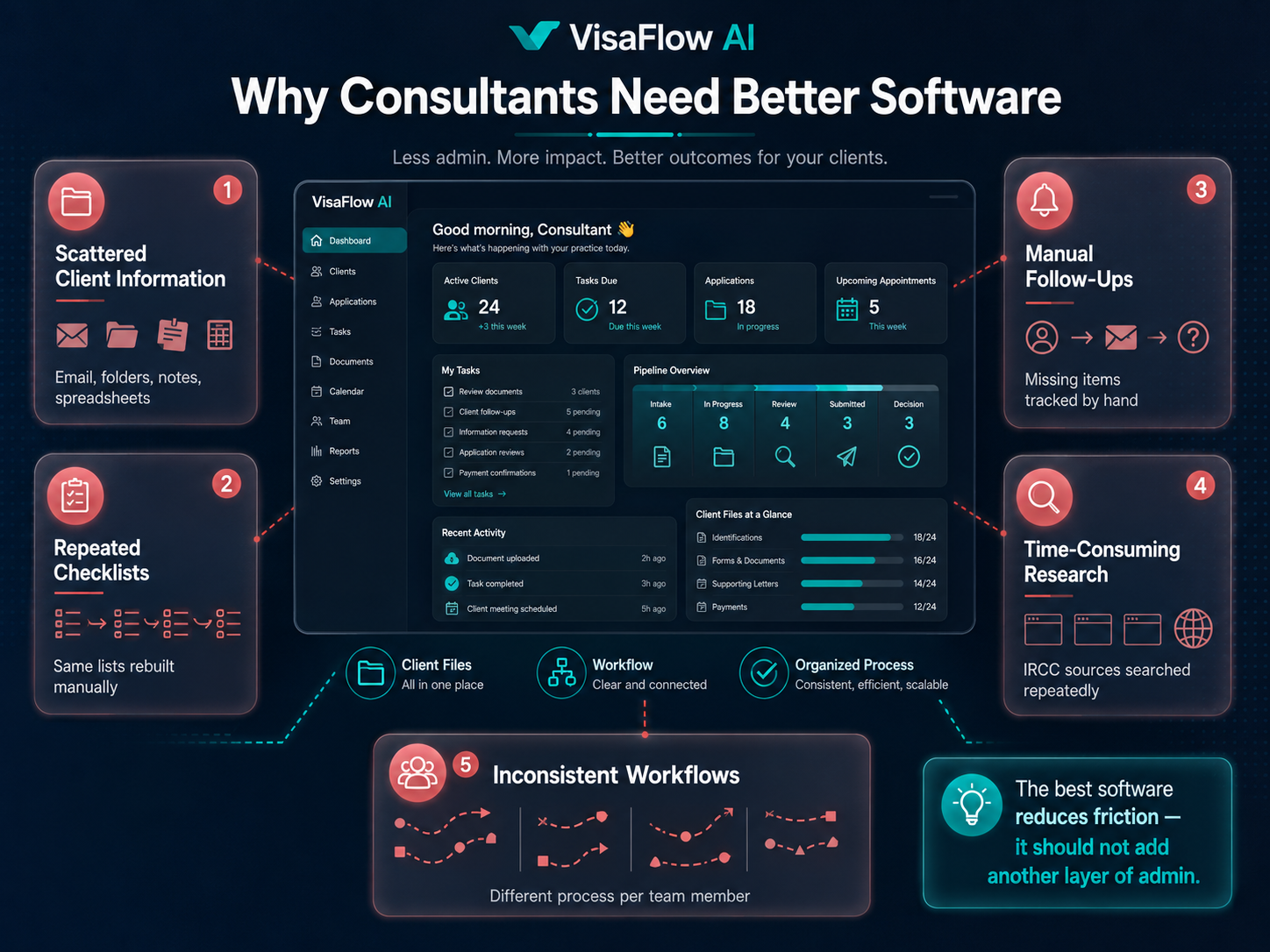
- Scattered client information. Files, notes, and documents spread across email, Google Drive, spreadsheets, and local folders.
- Repeated checklist creation. The same document checklists recreated from scratch for each client instead of using reusable templates.
- Manual client follow-ups. Tracking which documents have been received and which are still needed, client by client.
- Time-consuming research. Looking up IRCC program requirements, document lists, and policy updates across multiple official pages.
- Inconsistent workflows. Different team members approaching the same type of case in different ways.
Software for immigration consultants should address these pain points directly. The best tools reduce friction, not add another layer of complexity.
What Immigration Consultant Software Should Help With
Before evaluating specific tools, it helps to define what good Canadian immigration consultant software should actually do. The goal is not to replace the consultant — it is to reduce the time spent on repetitive tasks so the consultant can focus on client work and professional review.
Here are the core areas a good immigration workflow tool should support:
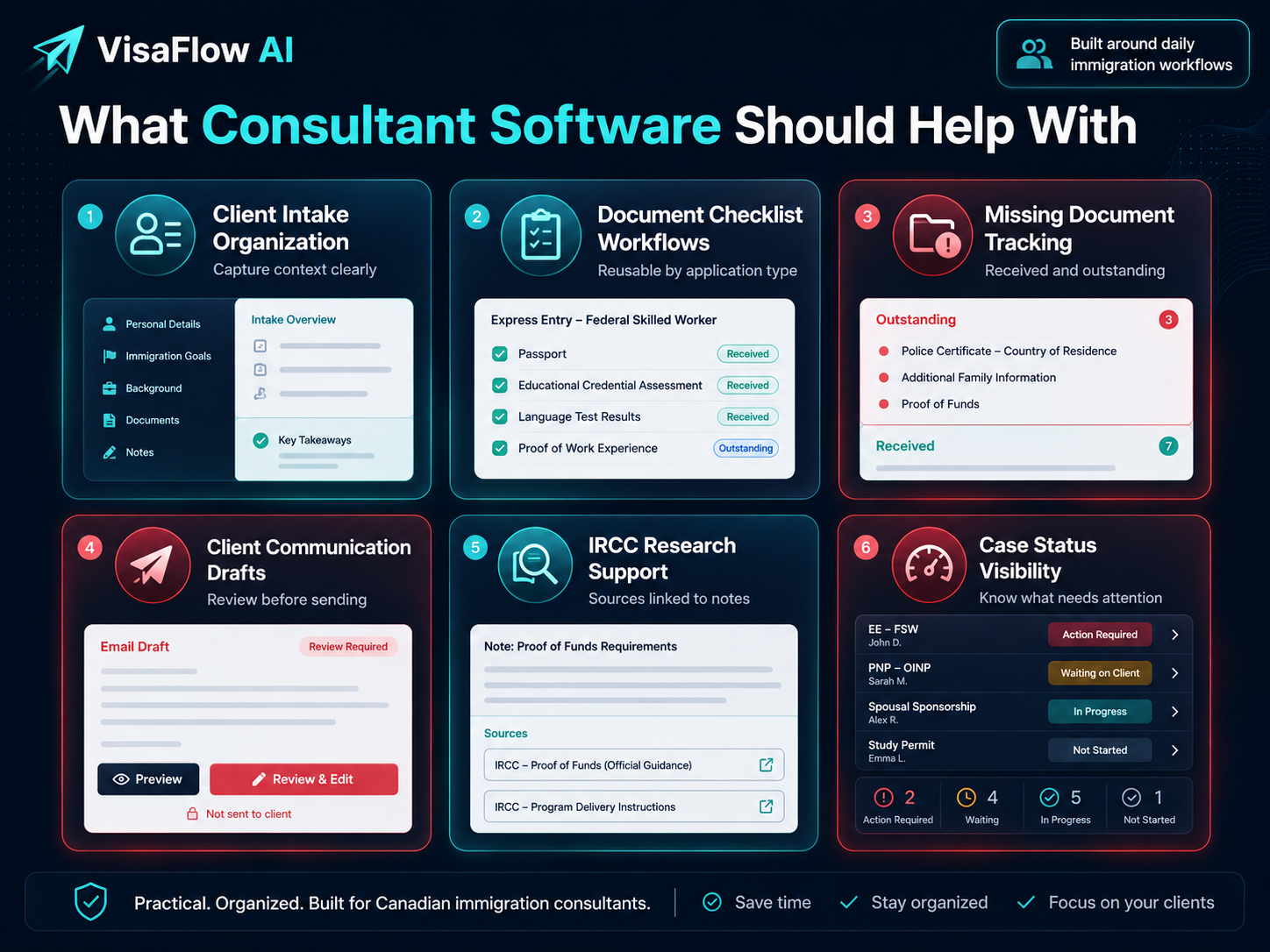
- Client intake organization. A central place to capture client information, notes, and file references instead of managing them in separate apps.
- Document checklist workflows. The ability to create, reuse, and track document checklists for different application types.
- Missing document tracking. A clear view of what documents have been received and what is still outstanding for each client.
- Client communication drafting. Draft support for follow-ups, intake requests, and status updates that the consultant reviews before sending.
- IRCC research support. Tools that help find and organize information from official immigration sources more efficiently.
- Case status visibility. A simple way to see where each file stands without digging through emails or notes.
Not every tool needs to do all of these things, but the fewer separate tools a consultant needs to manage, the less admin overhead there is.
Key Features to Look For
When comparing immigration case management software or workflow tools, here are the specific features that matter most for Canadian immigration consultants:
Case Organization
A central workspace for each client or case that keeps intake information, documents, notes, and status in one place. Avoid tools that force you to jump between multiple screens or external folders to get a complete picture of a file.
Client Document Tracking
The ability to track which documents have been submitted, which are pending, and what still needs to be requested. This reduces the back-and-forth of manual follow-up emails and helps keep files complete before submission review.
Deadline and Task Visibility
A clear view of upcoming deadlines, outstanding tasks, and case status across all active files. This is especially important for consultants managing multiple clients at different stages of the process.
Source-Backed Research Support
Tools that help consultants find and organize IRCC program requirements, document lists, and policy information can save significant research time. Look for features that keep sources organized and linked to your notes rather than scattered across bookmarks.
AI-Assisted Workflow Support
AI tools for immigration consultants can assist with drafting client communications, creating document checklist drafts, and summarizing research. The key is that the AI supports the workflow — it does not replace the consultant's review or professional judgment.
Secure Data Handling
Immigration professionals handle sensitive personal information. Any software used should follow security best practices, limit unnecessary data exposure, and support the consultant's professional obligations around privacy and record keeping.
Why Generic Project Management Tools Are Not Enough
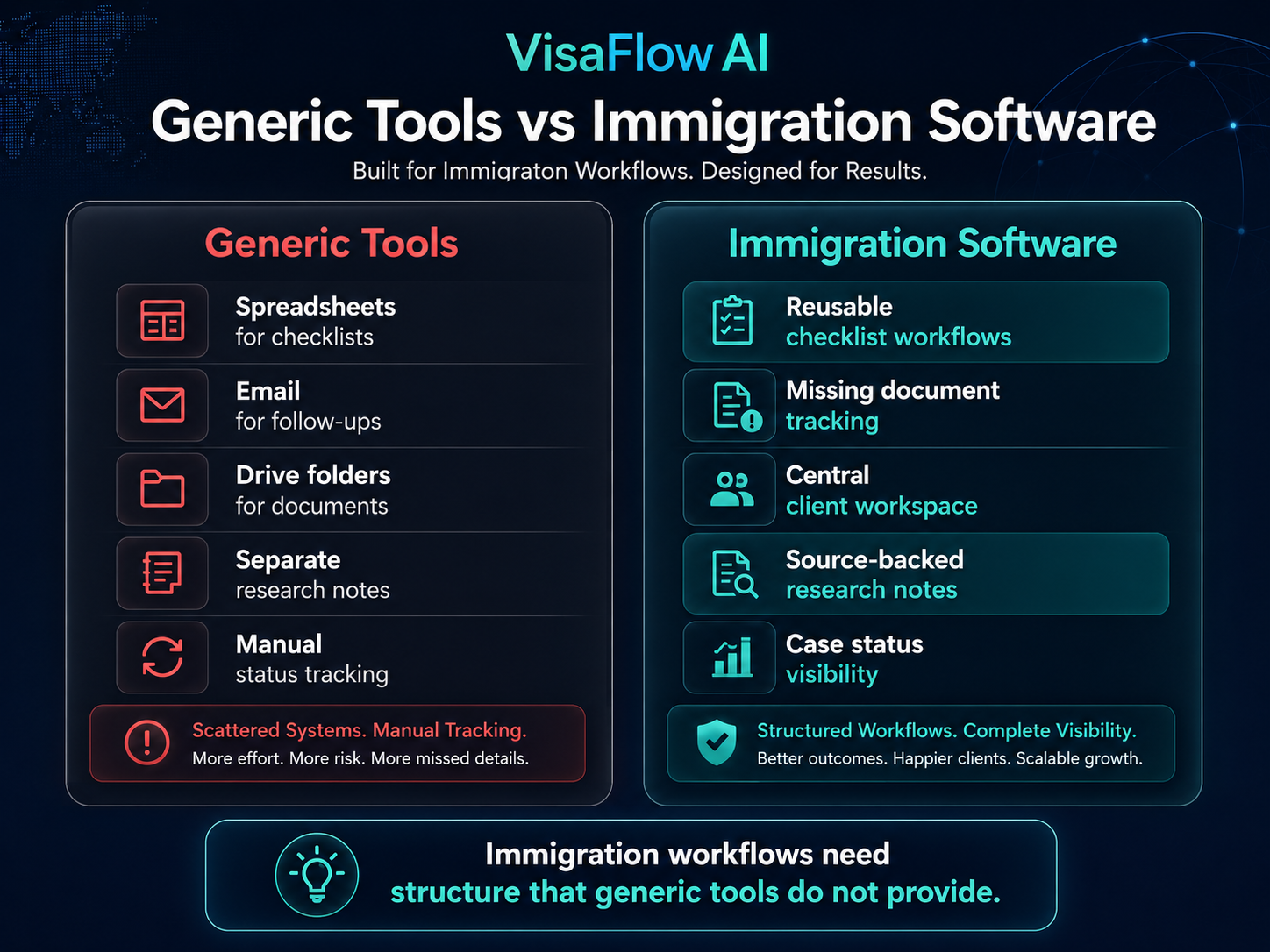
Many consultants start with generic tools: spreadsheets for checklists, email for client communication, Google Drive for document storage, and a separate notes app for research. While these tools work individually, they create friction when information needs to move between them.
Common issues with generic tools include:
- No built-in template for immigration document checklists
- No way to track missing documents across clients in one view
- No research workflow designed for IRCC sources
- Client information scattered across separate systems
- Inconsistent team workflows because there is no shared structure
Purpose-built immigration consultant software addresses these gaps by providing workflows that match how immigration professionals actually manage their files. The best option is often a tool designed specifically for Canadian immigration workflows rather than a generic project management platform adapted for immigration work.
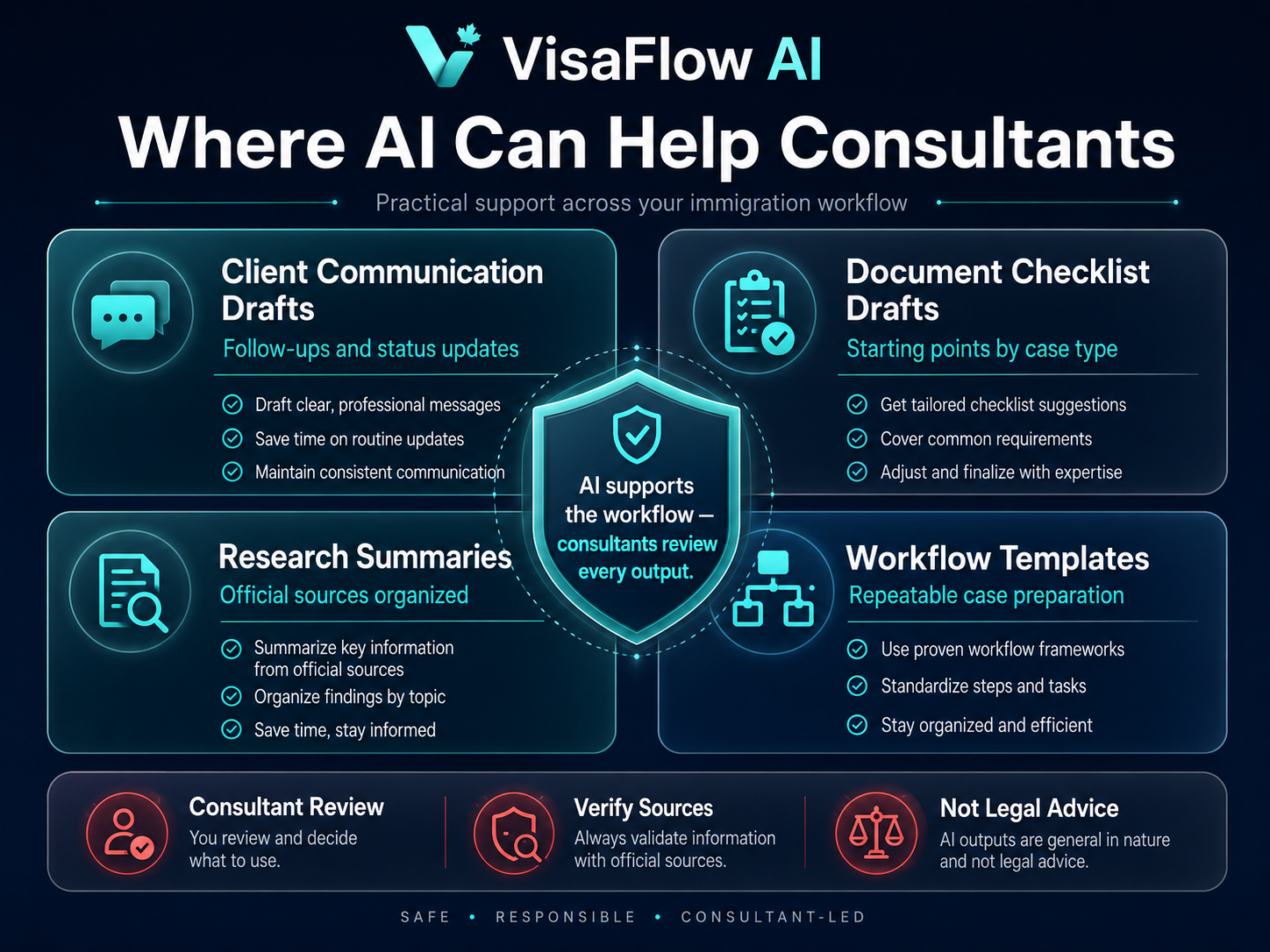
Where AI Can Help Immigration Consultants
Artificial intelligence, when used responsibly, can support several aspects of an immigration consultant's workflow. The goal is not to automate professional judgment but to reduce the time spent on repetitive drafting, organization, and research tasks.
AI can assist with:
- Drafting client communications. Generate first drafts of intake requests, follow-up emails, and status updates for consultant review.
- Creating document checklist drafts. Produce a starting checklist based on common application types that the consultant then customizes.
- Summarizing research. Help organize official IRCC guidance into structured notes that the consultant verifies against original sources.
- Standardizing workflows. Support consistent case preparation by providing repeatable templates and structured prompts.
These capabilities can save meaningful time, especially for solo consultants and small teams who handle a high volume of client files without dedicated admin support.
What AI Should NOT Do
Responsible use of AI in immigration consulting is essential. Here are the boundaries that every consultant should keep in mind:
- AI should not replace professional review. Every AI-generated output must be reviewed and verified by the consultant or authorized team member before use.
- AI should not guarantee outcomes. No AI tool can predict or guarantee immigration application approval, processing speed, or government decision.
- AI should not provide legal advice. AI-generated drafts and summaries are workflow aids, not legal opinions or immigration advice.
- AI should not be treated as an official source. Always verify AI-generated information against official IRCC sources before relying on it.
- Sensitive client data requires care. Be thoughtful about what information is shared with AI tools and follow privacy obligations.
The consultant remains fully responsible for every client file, every communication, and every application. AI tools are there to support the workflow, not replace it.
How VisaFlow AI Fits This Workflow
VisaFlow AI is an AI-assisted productivity workspace designed specifically for Canadian immigration consultants. It focuses on the workflows that consultants manage daily: client intake organization, document checklist creation, missing document follow-ups, IRCC research support, and client message drafting.
Here is how VisaFlow AI addresses the needs described in this guide:
- Case organization. A central workspace for client information, case notes, and file status tracking.
- Document checklists. Create reusable draft checklists for common application types and track what has been received.
- Client follow-ups. Draft missing document reminders and status updates with AI-assisted support, then review before sending.
- Research support. Source-backed research assistance to help find and organize IRCC program requirements and document information.
- Team workflows. Consistent processes that help small teams stay organized and reduce the overhead of switching between tools.
VisaFlow AI keeps the consultant in control at every step. It is a productivity tool, not a replacement for professional judgment. All outputs require review and verification against official sources.
Explore VisaFlow AI features or visit the AI workflow software overview page to see how the workspace supports immigration consultant workflows.
Final Checklist Before Choosing Software
Before committing to any immigration consultant software, use this checklist to evaluate whether it fits your practice:
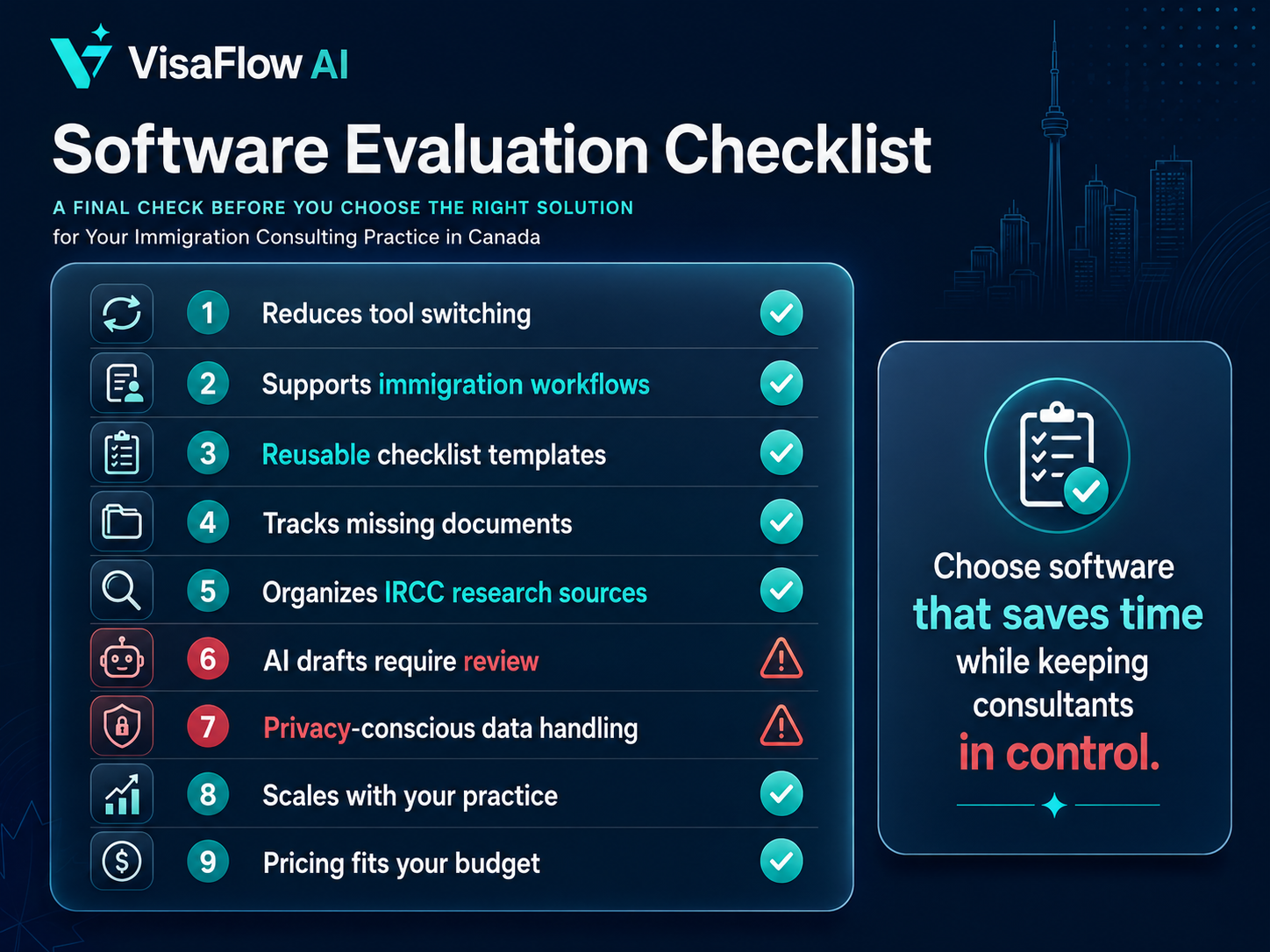
Software Evaluation Checklist
- Does it reduce the number of tools you currently use?
- Does it support immigration-specific workflows, not just generic project management?
- Can you create and reuse document checklist templates?
- Does it help track missing client documents in one view?
- Does it support IRCC research with organized source tracking?
- Does it include AI-assisted drafting while keeping review in your hands?
- Is data handled securely with privacy in mind?
- Can it grow with your practice as you add team members?
- Does the pricing fit your budget without unnecessary features?
The right software should save you time, reduce admin friction, and keep you in control of every client file. If a tool adds more complexity than it removes, it is probably not the right fit.
View VisaFlow AI pricing to see plans for solo consultants and growing teams.
Frequently Asked Questions
The best software depends on your practice size and workflow needs. Look for tools that support case organization, document checklists, client follow-ups, research organization, and AI-assisted drafting — designed specifically for Canadian immigration workflows.
No. AI tools are productivity aids that can help with drafting, organizing, and research tasks. They do not replace professional judgment, legal advice, or the consultant's responsibility for each client file. Every AI-generated output must be reviewed and verified by a qualified professional.
Generic CRMs and project management tools can work, but they lack immigration-specific features such as document checklist templates, IRCC research workflows, and client document tracking designed for immigration files. Purpose-built immigration consultant software reduces the need to manage multiple separate tools.
No. VisaFlow AI is not affiliated with IRCC, the Government of Canada, or CICC. It is an independent productivity software product for Canadian immigration consultants. All information should be verified against official IRCC sources.
Pricing varies by tool and team size. VisaFlow AI offers a Solo plan for independent consultants and a Growing plan for small teams. Visit the pricing page for current plan details.
Conclusion
The best immigration consultant software in Canada is the one that reduces administrative overhead, supports consistent workflows, and keeps the consultant in control of every professional decision. Whether you are a solo RCIC or a growing immigration team, the right tools can help you spend less time on repetitive tasks and more time on client work and professional review.
Explore VisaFlow AI for immigration consultants to see how an AI-assisted workspace can support your daily workflow.
VisaFlow AI is designed to support immigration consultant workflow productivity. It does not provide legal advice, replace professional judgment, guarantee immigration outcomes, or imply affiliation with IRCC or the Government of Canada. All outputs must be reviewed and verified against official sources by the consultant or authorized team member.