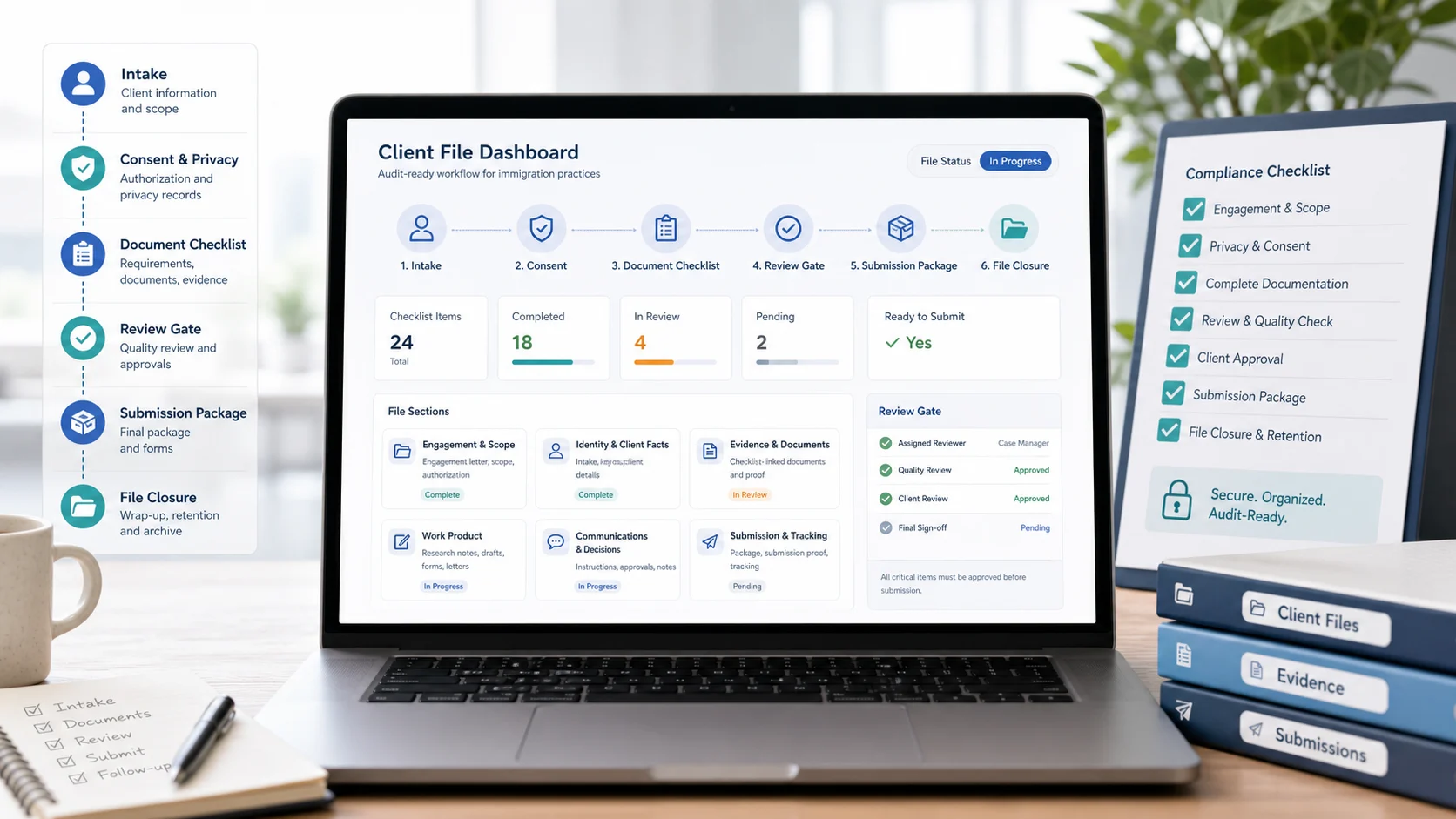
What “Client File Management” Really Means (In Practice)
Most firms think “client file management” is where files are stored. In reality, it is the system you use to prove that your work was authorized, competent, confidential, and properly reviewed. It’s also what lets someone else on your team step in without guessing which version is correct or which evidence was reviewed.
If your current setup is a combination of folders, email threads, and spreadsheets, start with How Immigration Consultants Manage Client Documents Without Spreadsheets for a workflow-first approach to document tracking and review gates.
This article is intentionally practical, not legal advice. For professional obligations, always verify against the current CICC materials and the federal Code of Professional Conduct for College of Immigration and Citizenship Consultants Licensees. Use this checklist to make your internal file system easier to review, not as a substitute for your own professional compliance process.
The 5 Parts of an Audit-Ready Client File
Regardless of tools, an audit-ready file has five parts that are easy to locate, export, and explain:
- Engagement: scope, authorization, and the “what we agreed to do” record.
- Identity & client facts: intake details, key dates, and supporting references.
- Evidence: a checklist-linked document set with versions and review outcomes.
- Work product: research notes, drafts, forms, and submission packages.
- Communications & decisions: approvals, client instructions, and material changes.
VisaFlow AI is designed to help with structured workflows across these parts — see Features for how checklists, AI-assisted drafting, and file organization can fit together.
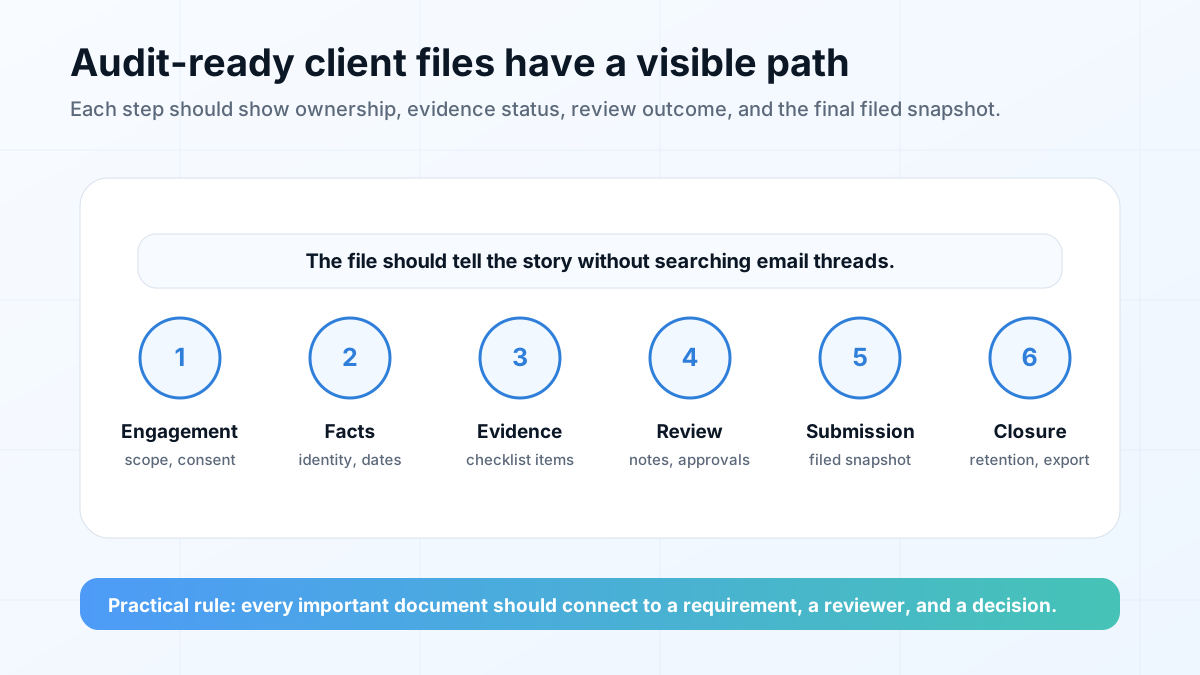
A Practical CICC Client File Management Checklist
Use the checklist below as an internal SOP. Adapt it to your firm size (solo RCIC vs. multi-staff practice) and the application type (temporary residence vs. permanent residence vs. employer-driven work).
1) Intake & authorization
- Create a file record the day the lead becomes a client (not after the first consult).
- Store client identity details and key dates in a structured profile (avoid “buried in email”).
- Capture scope: what is included, excluded, and who the client is (PA + dependants).
- Log who is the responsible RCIC and who can act as backup reviewer.
- Track written approvals for material strategy decisions and final submission sign-off.
2) Privacy, consent & access controls
- Store a privacy/consent record and make it easy to re-export with the file.
- Use role-based access: staff can upload/organize; only authorized reviewers can mark items “ready.”
- Avoid copying sensitive documents into too many systems (reduce surface area).
- Have a simple rule for sharing: no personal docs over unsecured channels; prefer portal-based upload.
- Document your retention and deletion approach for closed files and old drafts.
If you’re refining privacy language and expectations, review Privacy and consider documenting “how we use AI” for staff and clients using a consistent policy.
3) Requirements → checklist → evidence (with review gates)
- Turn each requirement into a checklist item with notes: acceptable formats, coverage periods, common errors.
- Use statuses that reflect reality: requested → received → needs review → needs revision → ready.
- Assign a reviewer for each item (RCIC, senior case manager, junior case manager).
- Require explicit sign-off before “ready” (received ≠ reviewed).
- Keep old versions when they matter, but clearly mark the current reviewed version.
For a checklist-first structure, read IRCC Forms and Document Checklist Guide for Consultants and IRCC Document Checklist Generator: How to Build Better Client Checklists.
4) Work product organization (research, drafts, forms, submissions)
- Keep a “source list” for critical program guidance used (what you relied on and when you checked it).
- Separate evidence from work product (drafts/forms/letters) to reduce mix-ups during packaging.
- Track what was generated from templates vs. custom drafted vs. client-provided.
- Use a packaging checklist before submission (required forms, signatures, translations, fees, proof labels).
- Export a submission package and store it as a dated snapshot (what you actually filed).
If research is a recurring bottleneck in your files, use How Immigration Consultants Can Save Time on IRCC Research for a source-backed workflow that reduces “where did we find that?” moments.
5) Communications, decisions & file closure
- Log key decisions and approvals in one place (not scattered across chat/email).
- Capture client-provided corrections to timelines/facts and note what changed.
- Record submission date(s), tracking numbers where relevant, and follow-up milestones.
- Close the file with a completion checklist (deliverables sent, final invoice, retention timer set).
- Document post-submission actions: updates, additional docs, procedural fairness responses, etc.
What to Standardize Before You Add More Software
Software helps most when the underlying process is already clear. Before moving every file into a new tool, define the minimum standards your team will follow on every matter. These standards do not need to be complex, but they should be visible and repeatable.
- One naming convention: applicant, document type, coverage period, version, and review status.
- One status language: requested, received, needs review, needs revision, ready, submitted, archived.
- One reviewer rule: received documents cannot become submission-ready without an assigned review outcome.
- One source-note habit: important program guidance should include source, date checked, and reviewer initials.
- One closure routine: final deliverables, filed package, invoices, communications, and retention notes are checked before closing.
These basics make your file easier to delegate and easier to defend internally. They also reduce training time: a new assistant or case manager can learn one system instead of reverse-engineering each consultant’s folder habits.
How to Handle File Transfers and Continuity
Client file management is not only about active work. It also matters when a client changes representatives, a staff member leaves, or a file needs to be reviewed months after a submission. A well-managed file should be exportable enough that another authorized person can understand what happened without calling three people and searching old inboxes.
Build a transfer-friendly file by keeping engagement records, client facts, evidence, work product, communication notes, and submitted packages in predictable locations. If you use AI-assisted summaries or draft support, keep the source material and review notes beside the output so the next reviewer can see what was verified and what still requires judgment.
A Monthly File-Health Review for Busy Practices
A checklist is only useful if it stays current. For busy firms, a monthly file-health review can catch drift before it becomes a compliance or service problem. Pick a small sample of active files and closed files, then review whether the engagement record, evidence status, reviewer notes, client communications, and final package can be understood without asking the original case owner.
Keep this review lightweight. You are not re-deciding the case; you are checking whether the file tells a clear operational story. If the same issue appears across several files — missing source notes, unclear version labels, inconsistent follow-up logs, or no closure checklist — turn that issue into a team SOP update and a reusable checklist item.
Where AI Helps (and Where It Should Never Replace Review)
AI can make your file workflows faster — but it should not become the “source of truth.” Use AI to assist with organization, summaries, draft structure, and checklist consistency. Keep professional review and official sources at the center when it comes to legal interpretation, eligibility, and final submissions.
- Good AI tasks: turning your SOP into consistent checklists, drafting client instructions, summarizing meeting notes.
- High-risk tasks: relying on AI for eligibility conclusions, policy interpretation, or “what IRCC will decide.”
- Best practice: store sources and review notes alongside AI outputs so a reviewer can validate quickly.
For a practical safety framework, read How Immigration Consultants Can Use AI Safely.
Quick self-audit: can you explain your file in 5 minutes?
A simple test: if a teammate (or future-you) opens the client file, can they answer these in five minutes?
- What is the scope and what was the client authorized for?
- What facts are relied on, and where is the supporting evidence?
- What is still missing, what is under review, and who owns the next step?
- What was submitted, when, and what exact package was filed?
- What are the next deadlines or follow-ups?
If the answer is “not really,” your issue is not effort — it’s structure. Start with checklists, review gates, and a single place for decisions.
FAQ
No. This is a practical operations checklist for organizing client files. Always review current CICC requirements, your professional obligations, and official sources for your specific situation.
Treating “received” as “ready.” Without explicit review gates, incomplete or inconsistent documents slip into packaging and create avoidable delays and risk.
You need a consistent structure, not a different system for every program. Keep the same top-level file parts (engagement, facts, evidence, work product, communications) and swap in program-specific checklists inside the file.
Keep prior versions when they matter, but label the current reviewed version clearly and record who reviewed it and when. Avoid “final-final” naming by attaching documents to checklist items and using statuses and reviewer sign-off.
If you want help mapping your current workflow into a checklist-first system, reach out via the VisaFlow AI contact page and we’ll point you to a practical starting setup.
Professional disclaimer
VisaFlow AI supports productivity and research workflows for immigration professionals. It does not provide legal advice. You are responsible for verifying outputs against official sources, protecting client privacy, and applying professional judgment to every file and submission.
Build a cleaner, reviewable client file workflow
If your files feel scattered across folders, spreadsheets, and email, VisaFlow AI helps you structure client work with checklists, review gates, and exportable file organization.