Short Answer: You May Need Both, But Not for the Same Job
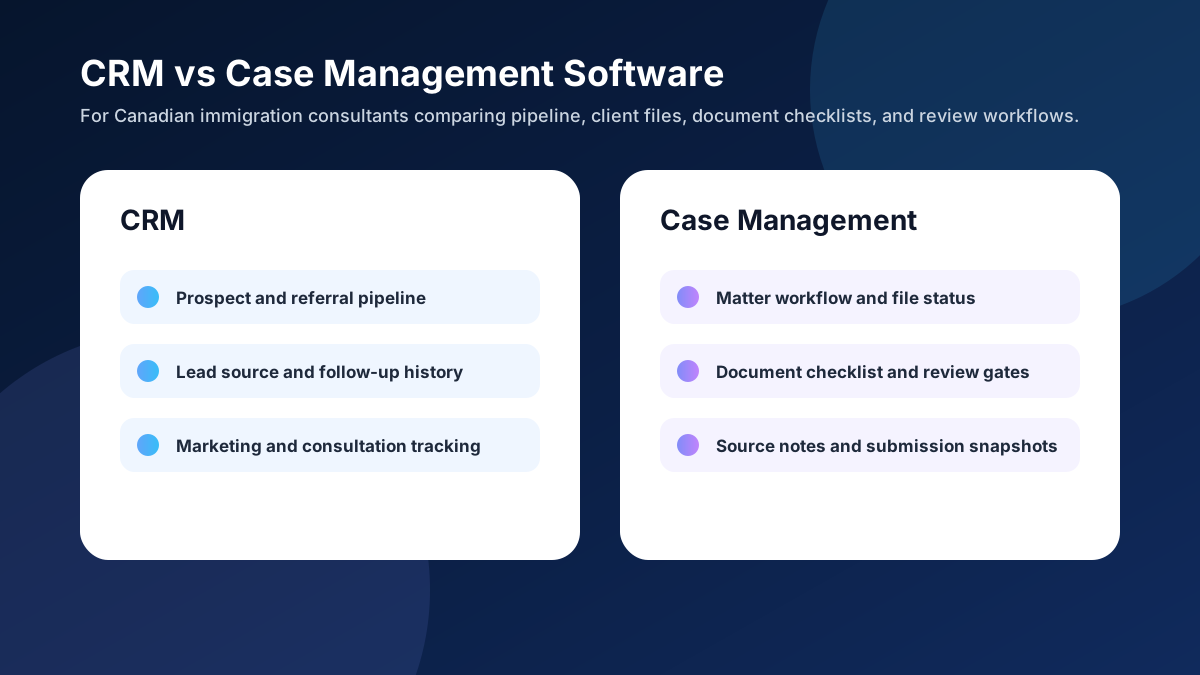
A CRM helps an immigration practice manage relationships before and around the sale: leads, referrals, consultations, follow-ups, and pipeline reporting. Case management software helps the team deliver the immigration matter after the client has retained the firm: intake details, document checklists, tasks, deadlines, drafts, review gates, and file records.
The mistake is expecting one generic tool to solve every part of the workflow. A simple CRM can help a solo consultant follow up with prospects, but it may not be enough to manage missing documents, source-backed research notes, application-specific checklists, or internal review. A case management tool can organize files, but it may not give enough visibility into marketing sources, consultation conversion, or referral follow-up.
VisaFlow AI sits closer to the workflow layer: it is designed to help immigration teams organize research, drafts, checklists, and internal notes while keeping professional review at the center. It does not replace the consultant's judgment, and it should not be treated as legal advice. It supports the work around the file.
What a CRM Is Best At
CRM stands for customer relationship management. In an immigration practice, that usually means prospect and client relationship tracking. It answers questions like: Where did this inquiry come from? Has the consultation been booked? Did the prospect receive a follow-up? Which referral partners produce good-fit cases? How many consultations turned into retained files this month?
A CRM is valuable because immigration firms often lose revenue in the gaps between inquiry and retention. A lead submits a form, the team replies late, the consultation is not confirmed, or the follow-up after the call never happens. A CRM makes those relationship steps visible.
CRM workflows to evaluate
- Lead source tracking for referrals, web inquiries, seminars, and partner channels.
- Consultation pipeline visibility: new inquiry, booked consultation, completed consultation, retained, not retained.
- Follow-up reminders before and after consultations.
- Basic contact history and communication notes.
- Marketing reporting for prospect sources and conversion rates.
If your biggest problem is lost inquiries, inconsistent consultation follow-up, or no visibility into lead sources, a CRM may be the first software category to improve. For a deeper CRM-specific guide, read CRM for Immigration Consultants: What Features Actually Matter.
What Case Management Software Is Best At
Case management software is about delivery. Once a client retains the firm, the workflow shifts from relationship tracking to matter execution. The team needs to know what service is being provided, what facts were collected, which documents are missing, what has been reviewed, what research was relied on, and what is ready for final professional review.
Immigration work has a heavy document and evidence component. A generic CRM record is usually not enough to show whether a passport, employment letter, bank statement, translation, travel history, or explanation letter has been received, reviewed, revised, and included in the final package. That is where case management features become more important.
Case management workflows to evaluate
- Matter stages by service type, such as visitor visa, study permit, Express Entry, PR, or employer support.
- Document checklist status: requested, received, needs revision, reviewed, approved, or not applicable.
- Internal review gates before forms, letters, packages, or submissions move forward.
- Source notes for research, program guidance, and client-specific assumptions.
- Submission snapshots and file closure records.
If your biggest pain is missing documents, unclear file status, duplicated work, or weak handoff between team members, case management is likely the more urgent category. You can compare a broader feature set in Immigration Case Management Software Canada.
Where Immigration Firms Get Stuck
Many firms start with a CRM because it feels familiar. They create contacts, deals, tasks, and notes. That may work for the sales side, but the file delivery side starts to stretch the tool. Soon the team is using custom fields for missing documents, spreadsheets for checklists, shared drives for evidence, chat messages for internal reviews, and email threads for client follow-up. The CRM still exists, but it is no longer the operating system for the file.
Other firms go the opposite direction. They adopt case management software but still lack a clean process for inquiry tracking, referral sources, consultation conversion, and pre-retainer follow-up. The result is a strong file record after retention but a weak growth process before retention.
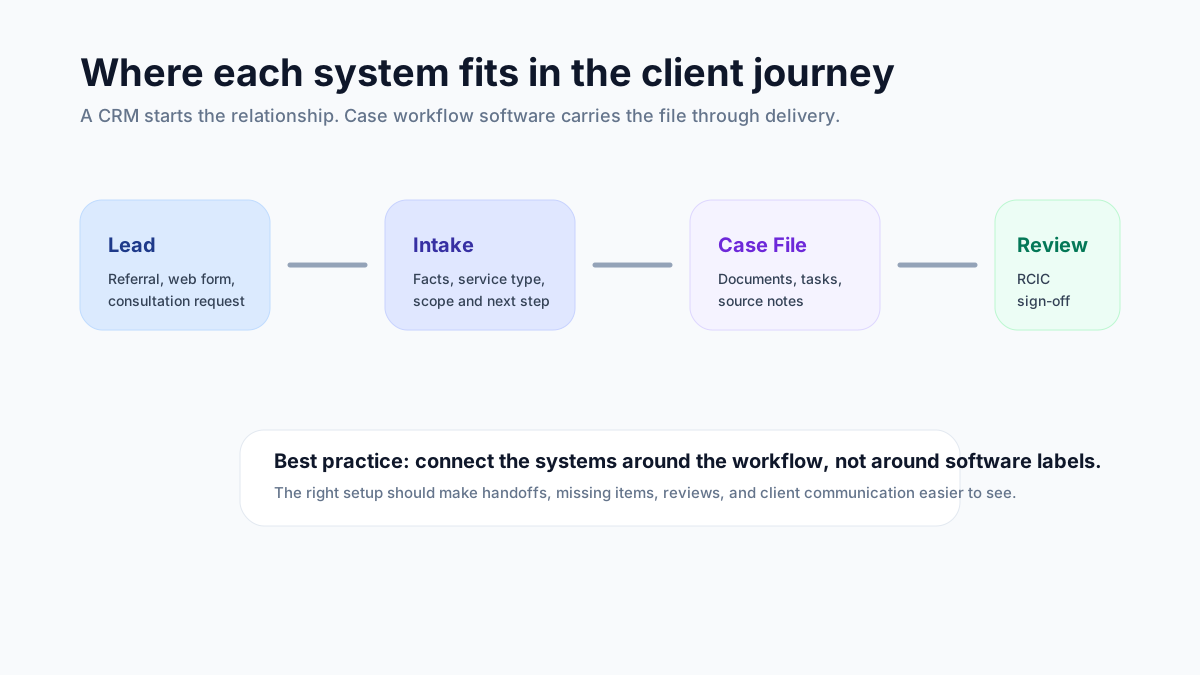
The practical answer is not always one system. The answer is a workflow map. Identify where information enters, where it changes, who reviews it, what must be preserved, and what the client needs to do next. Then compare tools against that map.
A Practical Comparison Framework
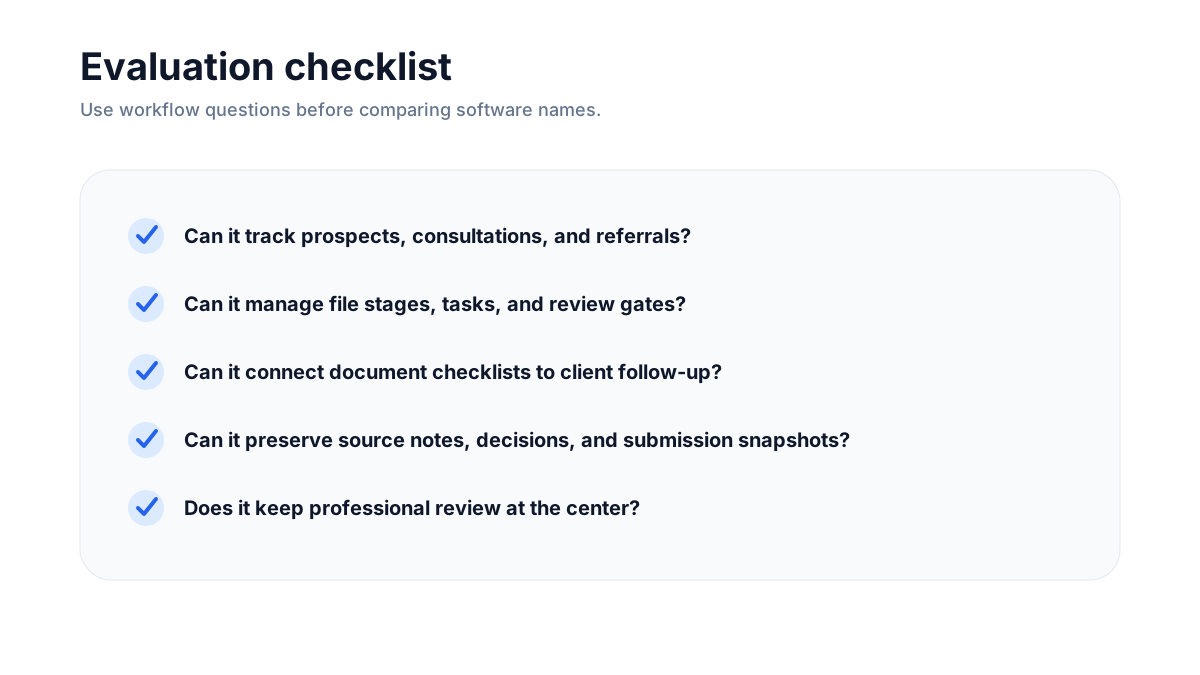
Instead of asking "Do we need a CRM or case management software?", ask better questions. The right category depends on the bottleneck you are trying to remove.
| Question | Usually CRM | Usually Case Management |
|---|---|---|
| Where did this inquiry come from? | Strong fit | Secondary |
| Has the consultation been followed up? | Strong fit | Secondary |
| Which documents are missing? | Weak unless customized | Strong fit |
| Who reviewed the evidence? | Weak unless customized | Strong fit |
| What source notes support the file? | Weak unless customized | Strong fit |
| Which channel produces retained clients? | Strong fit | Secondary |
Where AI-Assisted Workflow Software Fits
AI-assisted workflow software is not simply another CRM. It should not be evaluated only by whether it stores contacts or creates pipeline stages. For immigration professionals, AI is most useful when it reduces repetitive administrative work around research organization, intake summaries, document checklist preparation, draft notes, and review-ready file structure.
The safe boundary matters. AI can help organize information, suggest checklist structure, summarize client-provided details, and create internal draft notes. But the consultant or authorized professional must verify outputs, check official sources, review client facts, and make final judgments. If a tool encourages blind reliance, it is not a good fit for professional immigration work.
VisaFlow AI is built around that distinction. It supports source-aware workflows and productivity, not automatic immigration advice. For a broader safety framework, see How Immigration Consultants Can Use AI Safely.
When a Simple CRM Is Enough
A simple CRM may be enough if you are primarily solving a sales follow-up problem. For example, a solo consultant with a manageable caseload may only need a better way to track inquiries, consultation status, referral partners, and follow-up reminders. If case delivery is already organized and client documents are easy to manage, adding a heavy case system too early may create more process than value.
In that scenario, keep the CRM simple. Track lead source, service interest, consultation date, outcome, next step, and retained status. Use a separate but disciplined file workflow for documents and review. Revisit case management when the team starts losing visibility after retention.
When Case Management Becomes More Important
Case management becomes more important when the file work is where time is being lost. Warning signs include repeated client follow-ups for the same missing items, unclear review responsibility, evidence scattered across folders, staff asking each other what is ready, or difficulty reconstructing what was submitted. These are delivery problems, not just contact-management problems.
If those issues are showing up, prioritize a system that supports matter stages, document checklists, review gates, internal notes, and clean handoff. A CRM field called "documents received" is rarely enough for serious file work.
The Best Setup: CRM + Workflow Discipline
The strongest immigration practices usually combine relationship visibility with workflow discipline. They know where inquiries come from, how consultations convert, what every active file needs, what is missing, what has been reviewed, and what is ready for professional sign-off. Whether that happens in one platform or several connected tools is less important than whether the workflow is clear.
Before buying software, write down your current bottlenecks. Are you losing leads before consultation? Are clients slow to send documents? Are team members duplicating research? Are files hard to audit? Are follow-ups inconsistent? Each answer points to a different software priority.
A Low-Risk Migration Plan
Firms often delay software decisions because migration feels intimidating. The safer approach is not to move everything at once. Start with one workflow, one service type, or one team role. For example, choose visitor visa files, study permit files, or employer support files and map how they move from inquiry to file closure. Then test whether the new system improves visibility before expanding it across the practice.
A useful migration plan has three layers. First, define the minimum fields every file must have: service type, file owner, client status, document checklist status, review status, and next action. Second, decide what belongs in the CRM versus the case workflow. Third, create a clean handoff rule for when a prospect becomes a retained client. Without that handoff rule, teams often duplicate data or lose context between sales and delivery.
Do not migrate messy habits into a new tool. If the current process has unclear ownership, inconsistent document naming, or no review checkpoint, software will not magically fix it. Use the migration to simplify the workflow. Remove fields nobody uses. Standardize checklist language. Decide which notes are internal, which messages go to the client, and which items must be reviewed by the responsible professional.
Weekly Metrics to Watch After Implementation
Once the system is live, measure whether it improves the work. A CRM implementation should improve inquiry response time, consultation follow-up, retained-client conversion, and referral source visibility. A case management implementation should improve missing-document visibility, review turnaround, file handoff clarity, and the ability to reconstruct what happened in a file.
Simple weekly operating checklist
- New inquiries received, consultations booked, consultations completed, and files retained.
- Active files by stage, file owner, and next action.
- Files waiting on client documents and the oldest missing item.
- Files waiting on internal review and the responsible reviewer.
- Files ready for submission or closure with final review still pending.
- Repeated bottleneck from the week and the workflow change needed next.
These metrics keep the software decision grounded in operations. The goal is not to say you bought a CRM or case management system. The goal is to reduce missed follow-ups, shorten document collection cycles, make reviews easier, and give the firm a clearer view of work in progress.
FAQ
No. A CRM is usually focused on relationships, leads, consultations, and follow-up. Case management software is focused on matter delivery, file stages, tasks, documents, deadlines, review, and records.
Yes, especially for inquiry and consultation tracking. But generic CRMs often need customization to support immigration-specific document checklists, review gates, research notes, and submission records.
VisaFlow AI supports immigration productivity workflows such as research organization, internal notes, document checklist structure, and review-ready drafting support. It is not a replacement for professional judgment.
Choose based on the bottleneck. If prospects are falling through the cracks, start with CRM discipline. If retained files are disorganized, prioritize case workflow and document management.
Build a workflow around the immigration file, not just the contact record
VisaFlow AI helps immigration teams organize research, document checklists, internal notes, and review-ready workflows while keeping professional oversight in place.