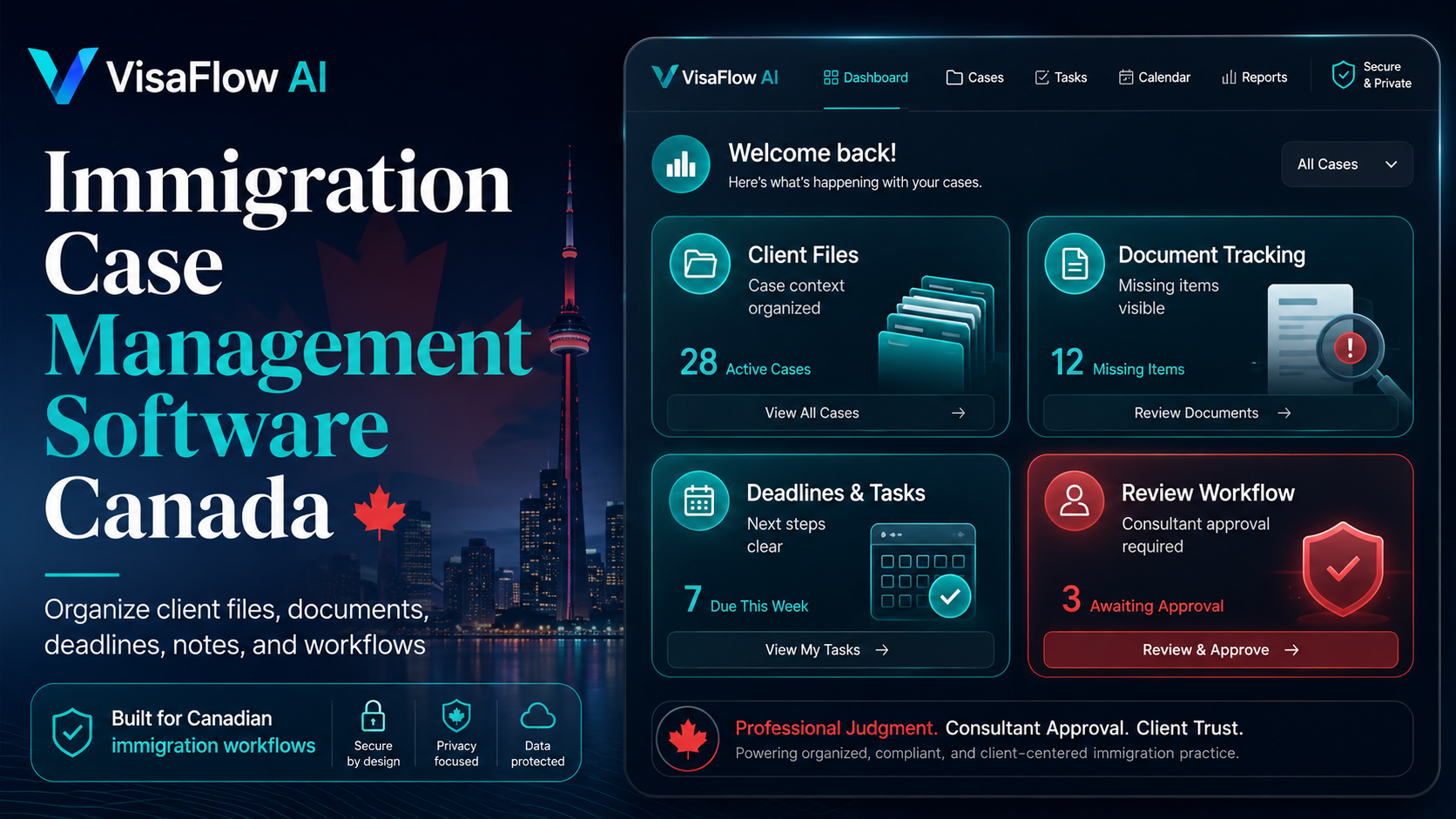
What Is Immigration Case Management Software?
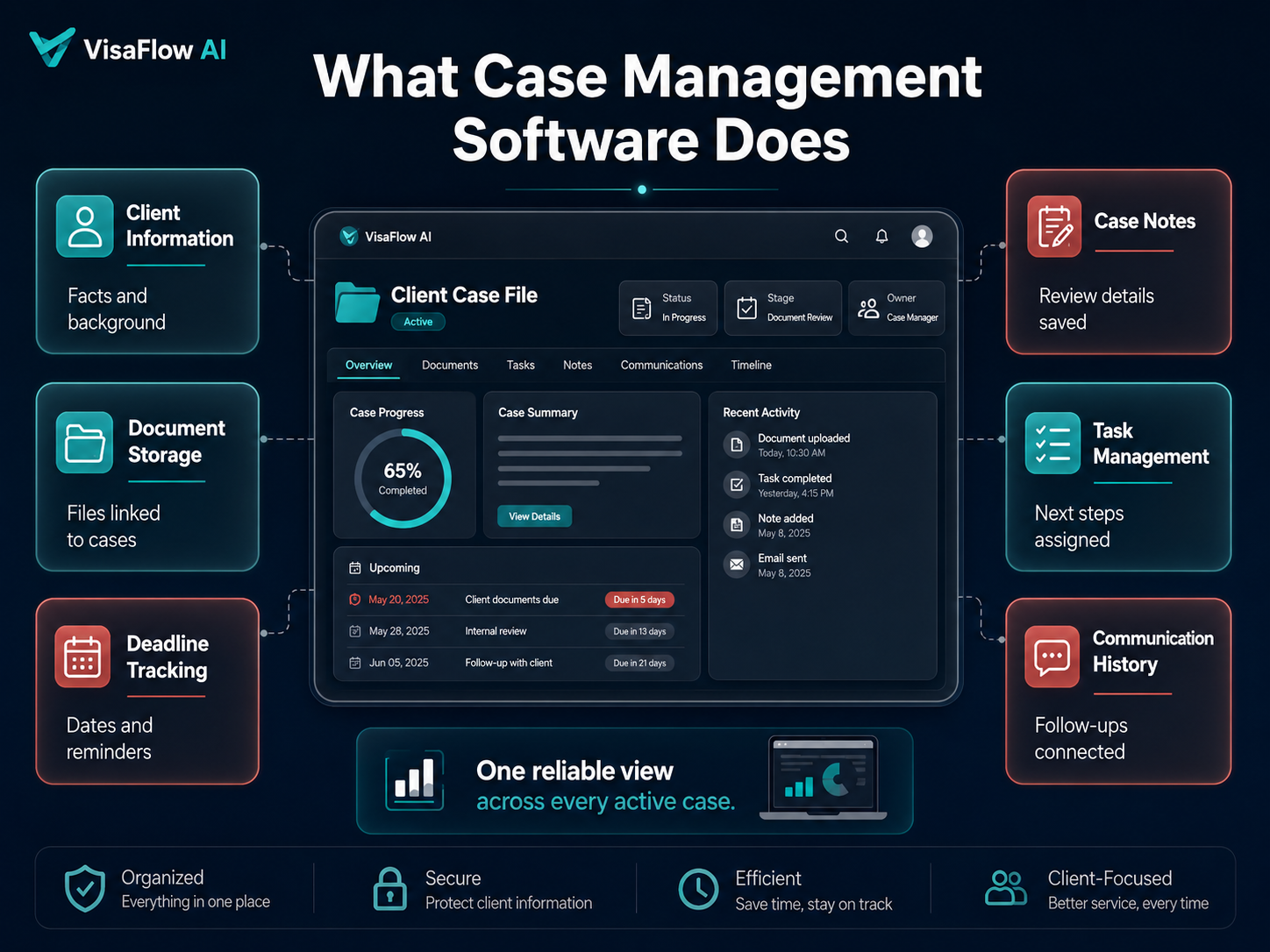
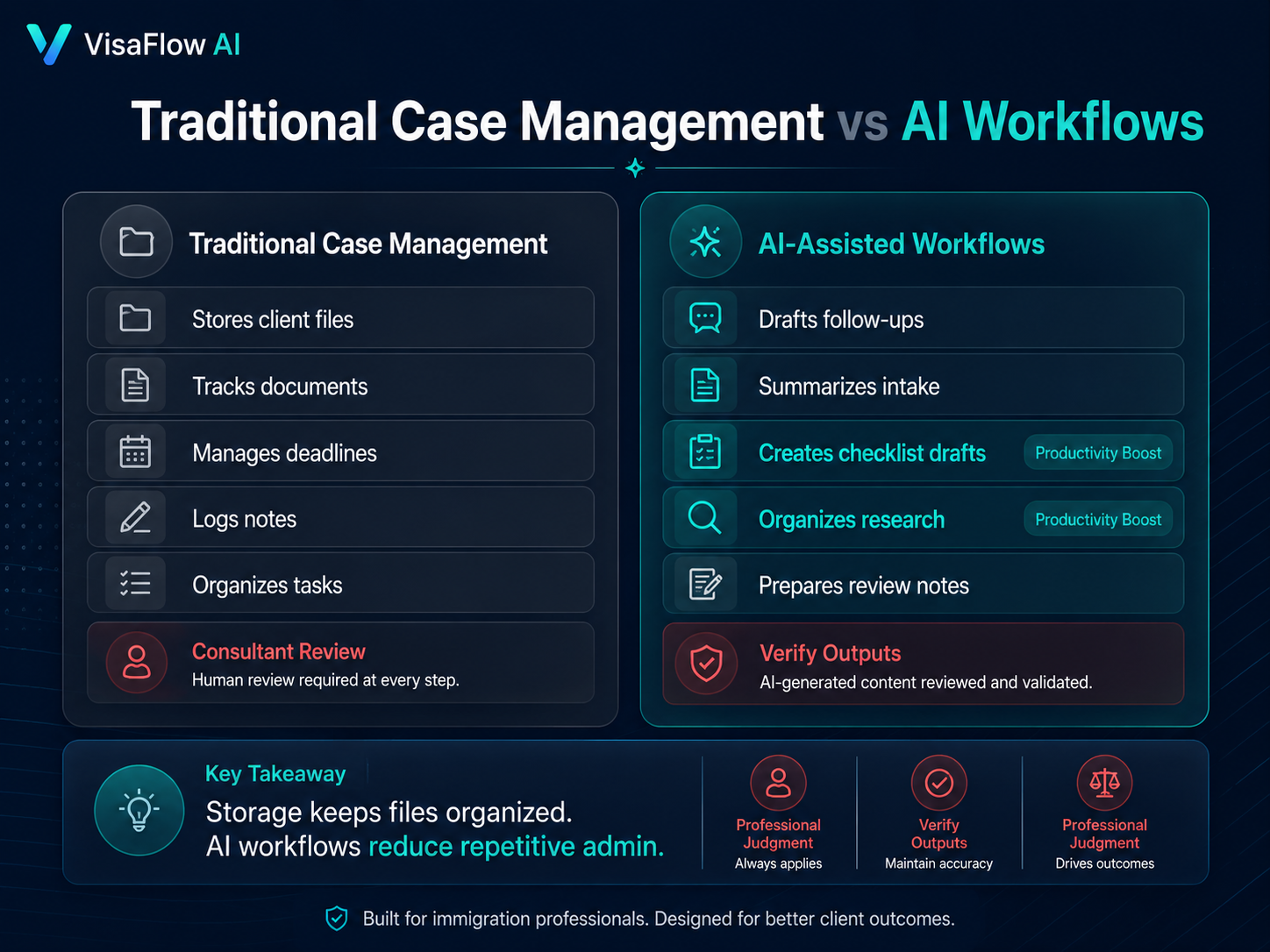
Immigration case management software is a system for organizing client files and case workflows. For Canadian consultants, that usually means storing client information, tracking documents, managing deadlines, recording notes, organizing tasks, and keeping communication history connected to each file.
The best systems reduce the need to manage separate spreadsheets, folders, email threads, and notes. They give the consultant a reliable view of what is happening across every active case.
Core Workflows a Case Management Tool Should Support
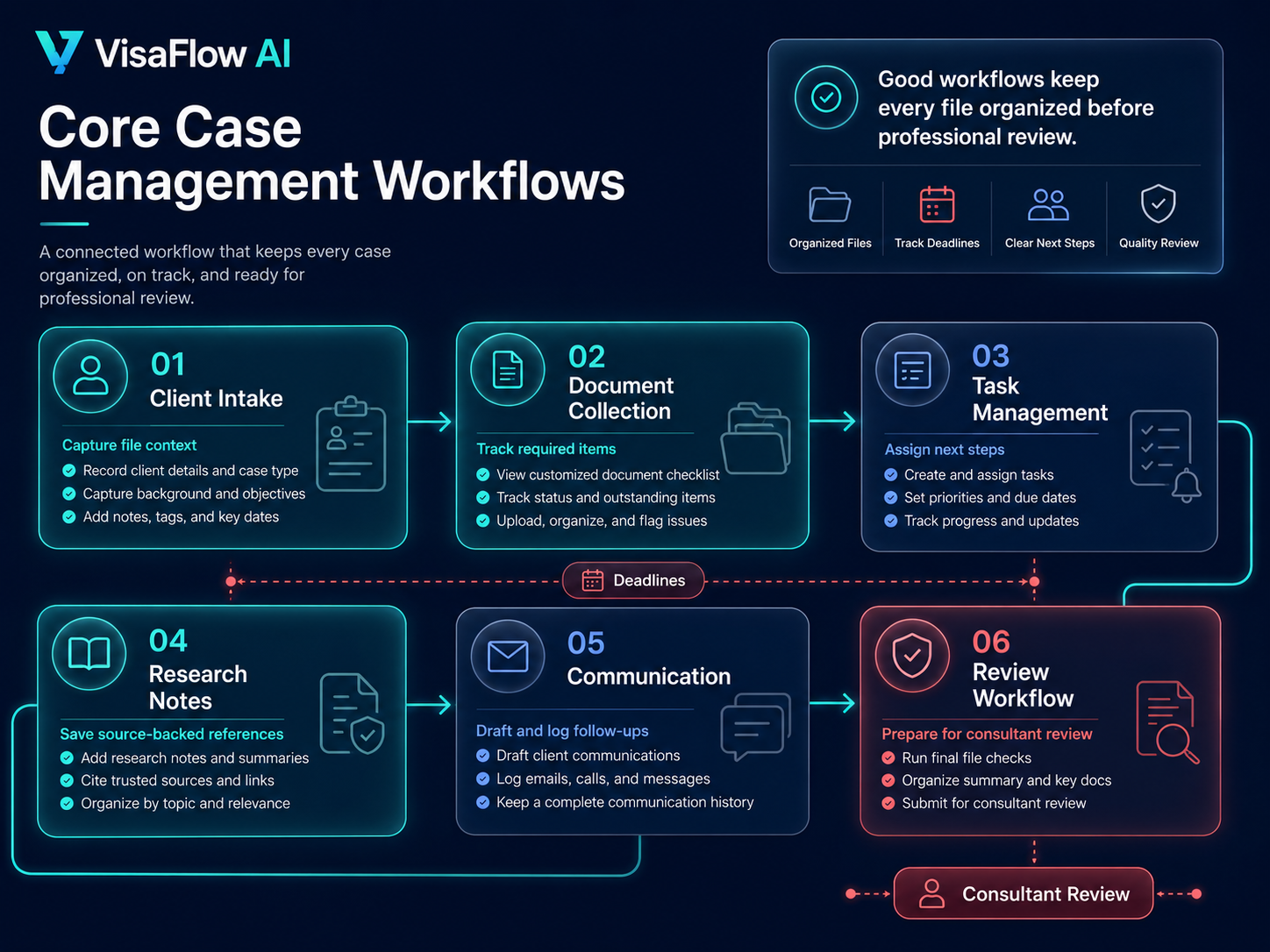
- Client intake: capture client facts, background, and initial file context.
- Document collection: track required documents and missing items.
- Task management: assign work, track deadlines, and monitor next steps.
- Research notes: keep source-backed IRCC references with case notes.
- Communication: draft and log client follow-ups and status updates.
- Review workflow: prepare files for professional review before submission.
Why Canadian Immigration Workflows Are Different
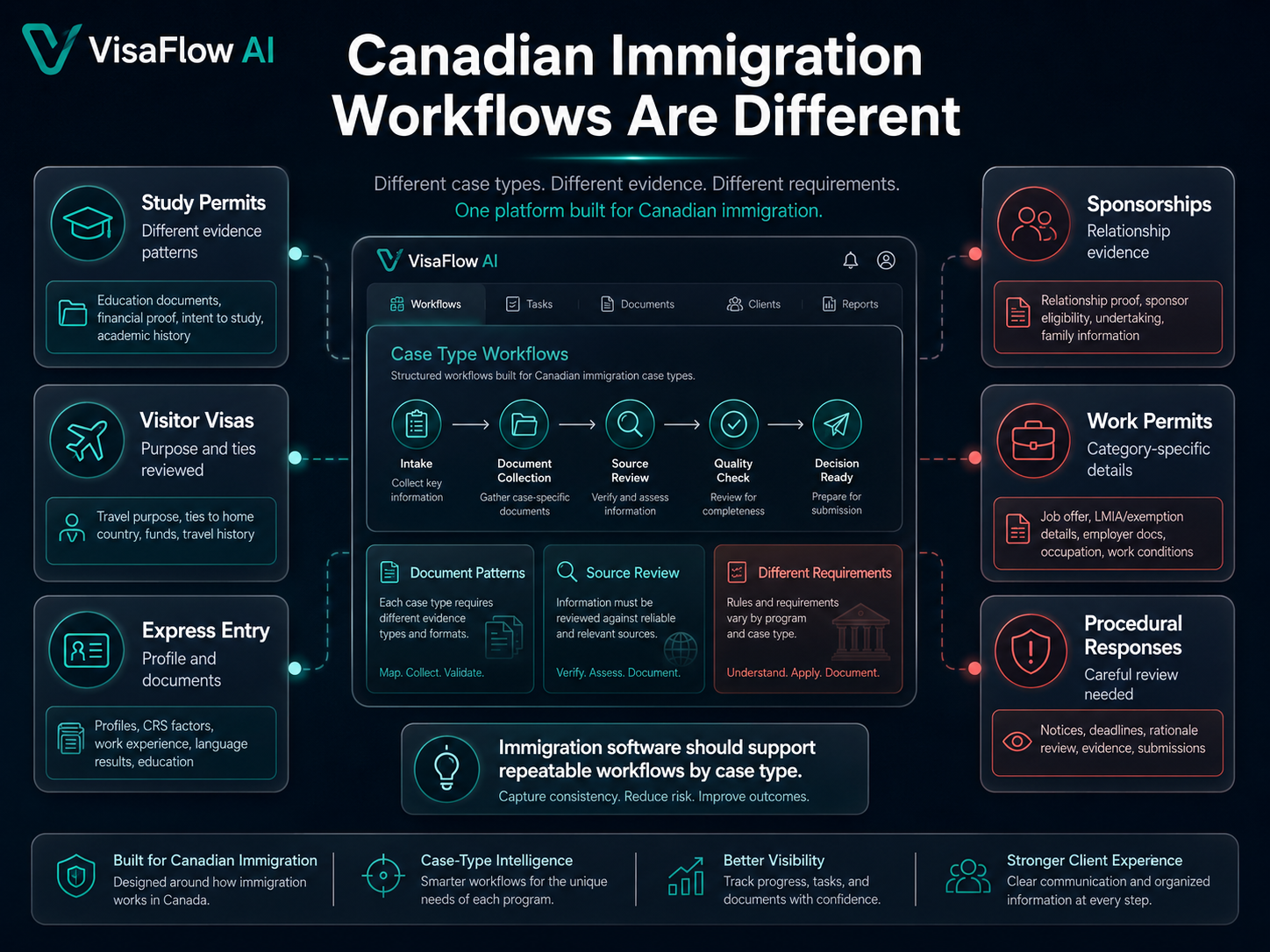
Canadian immigration work is not just generic client management. Requirements depend on program type, client facts, document evidence, and current IRCC instructions. A consultant may need to manage study permits, visitor visas, Express Entry files, sponsorships, work permits, and procedural responses, each with different document patterns.
That is why software should support repeatable immigration workflows rather than forcing consultants to rebuild processes from scratch for every file.
Traditional Case Management vs AI-Assisted Workflows
Traditional platforms usually focus on storage and tracking. AI-assisted workflows add a productivity layer: drafting client follow-ups, organizing intake summaries, preparing checklist drafts, and supporting source-backed research. The consultant still reviews and verifies everything before using it.
For a deeper comparison, read Immigration Case Management Software vs AI Workflow Software.
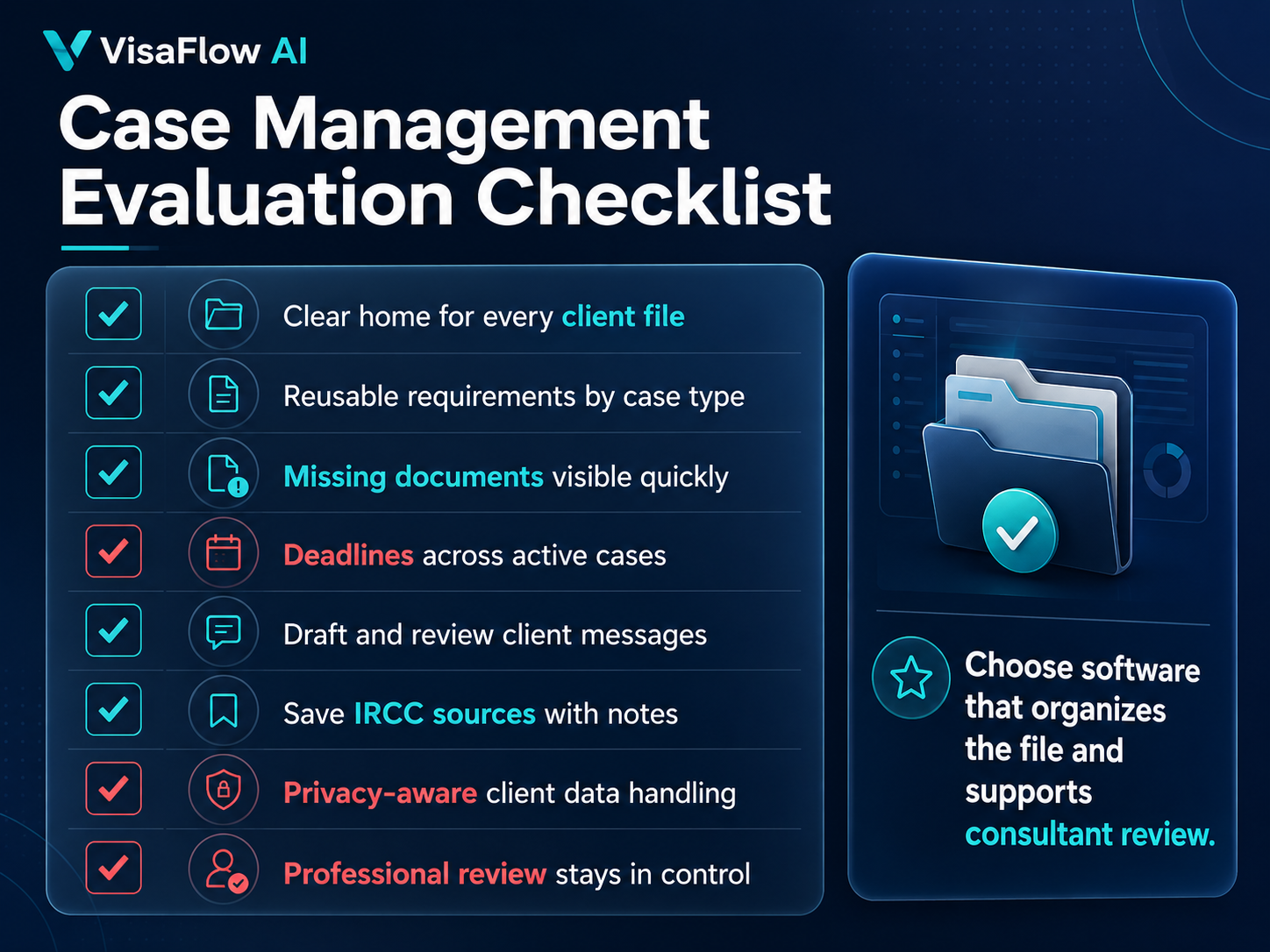
Case Management Evaluation Checklist
- Does every client file have a clear home?
- Can document requirements be reused by case type?
- Can missing documents be seen without opening each file?
- Can deadlines and tasks be reviewed across all active cases?
- Can client messages be drafted and reviewed efficiently?
- Can IRCC sources be saved with notes for later verification?
- Does the tool support privacy-aware handling of client information?
How VisaFlow AI Supports Case Management Productivity
VisaFlow AI helps Canadian immigration consultants organize file context, create document checklist workflows, draft follow-ups, and support IRCC research. It is not positioned as a replacement for professional review; it is a workspace for reducing repetitive admin and improving workflow consistency.
Learn more on the immigration consultant software page or review the features.
Frequently Asked Questions
The best option depends on practice size and workflow needs. Look for document tracking, client file organization, source-backed research support, task visibility, and professional review controls.
No. A CRM usually manages relationships and communication, while case management software organizes client files, documents, deadlines, tasks, and review workflows.
AI can help with drafting, summarizing, checklist preparation, and research organization, but consultants must review and verify all outputs.
No. VisaFlow AI supports productivity workflows. It does not submit applications, provide legal advice, or replace the consultant's professional responsibilities.
VisaFlow AI supports productivity and information organization for immigration professionals. It does not provide legal advice, guarantee outcomes, or replace professional judgment. Verify all information against official sources.