The Real Time Drain in Immigration Consulting
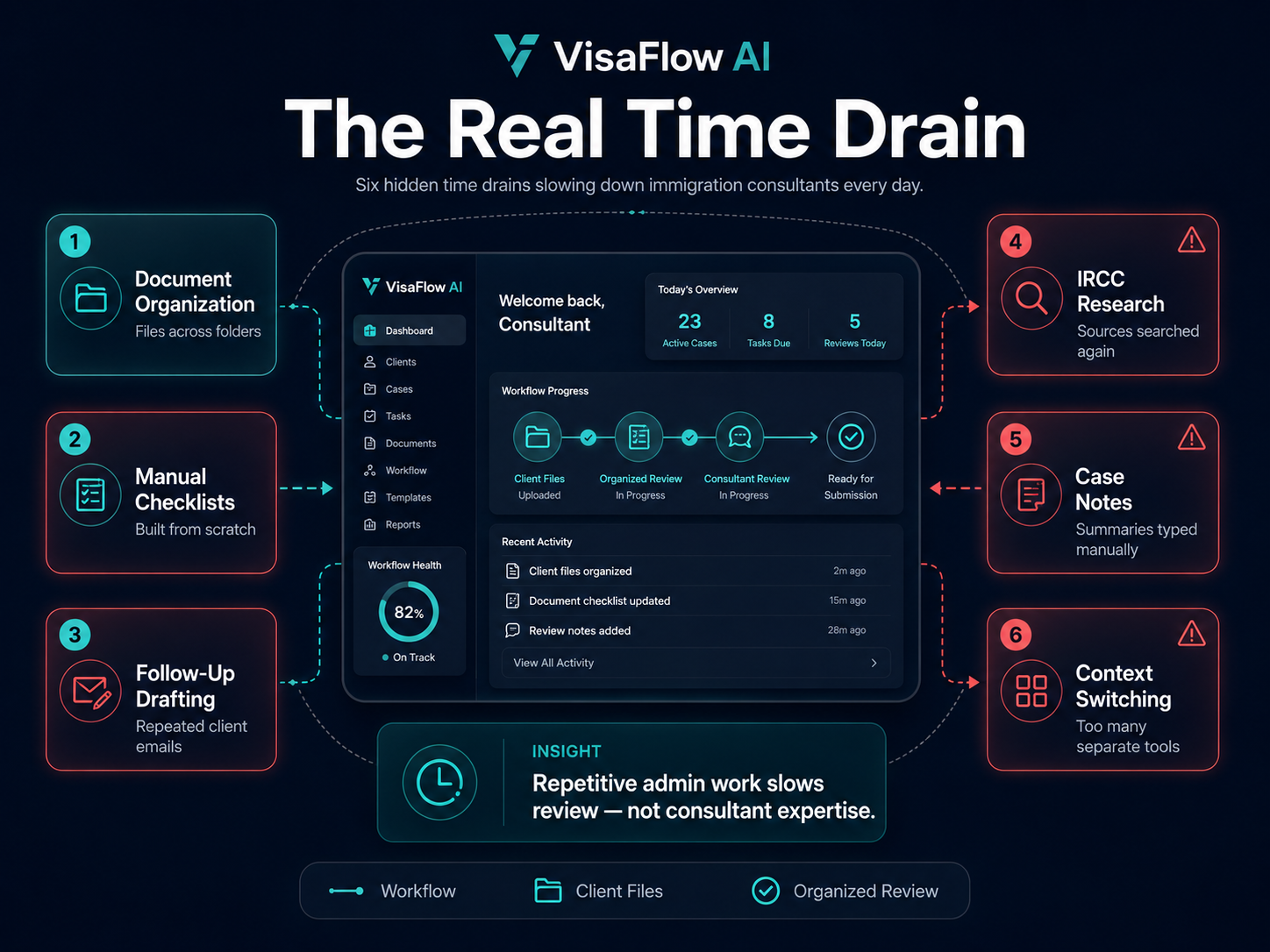
Immigration consultants juggle multiple client files, each at a different stage. For every case there is intake information to review, documents to organize, checklists to create, follow-ups to send, and IRCC requirements to verify. Much of this work is repetitive, yet each task requires attention to detail because mistakes matter.
The most common time drains include:
- Client document organization. Receiving, naming, and filing documents across multiple cases with no consistent system.
- Manual checklist creation. Building the same document checklists from scratch for each new client or application type.
- Client follow-up drafting. Writing individual emails to request missing documents or provide status updates.
- IRCC research lookups. Searching for the same program requirements, document lists, and processing details across multiple official pages.
- Case note preparation. Writing internal review notes and case summaries that could be drafted faster with a structured starting point.
- Context switching. Moving between email, spreadsheets, document folders, and research tabs to manage a single file.
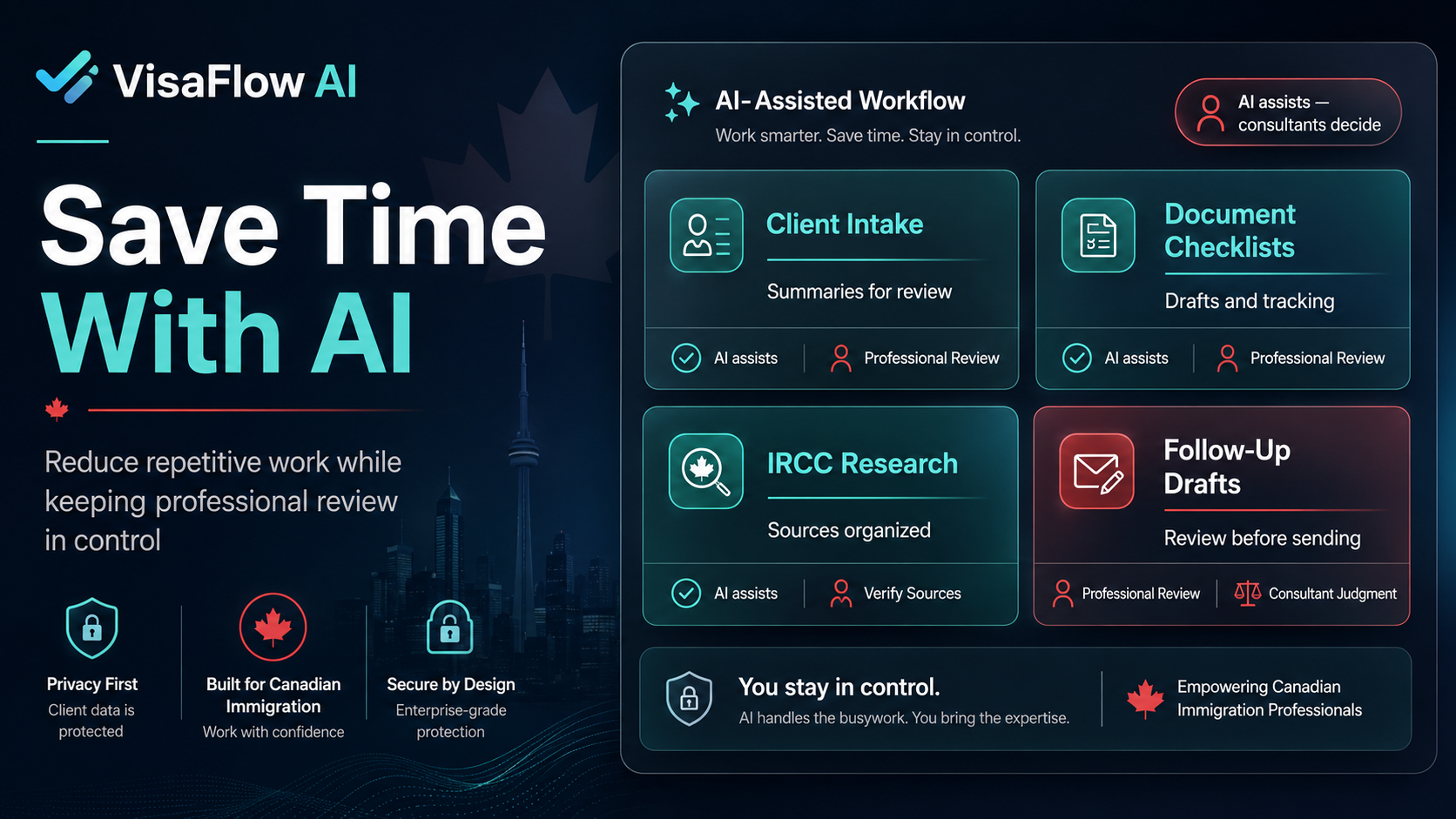
These tasks are essential, but they do not all require the same level of professional judgment. That is where AI-assisted tools can help — by reducing the time spent on repetitive organization and drafting work so the consultant can focus on review and client decisions.
Where AI Can Help Safely
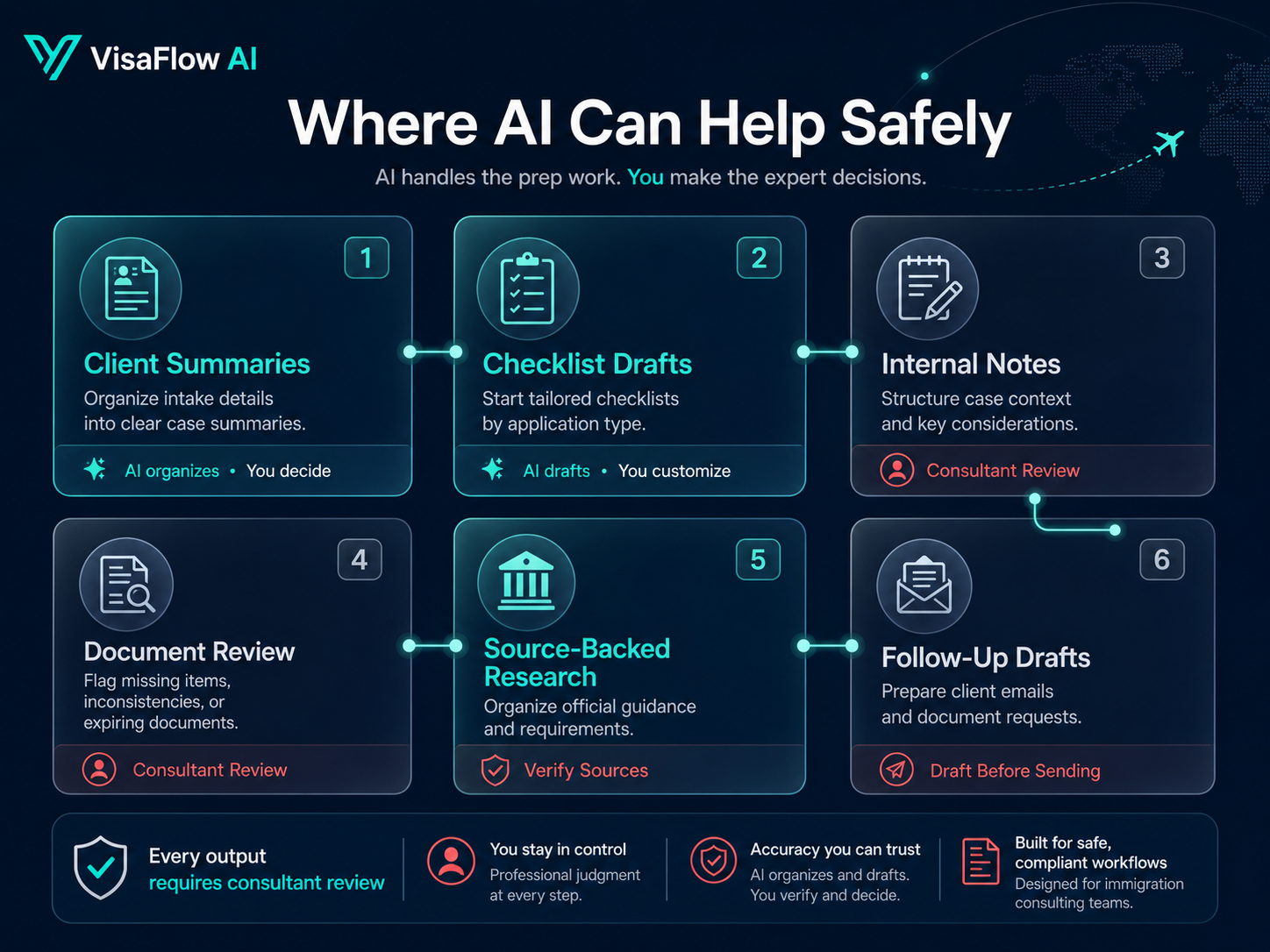
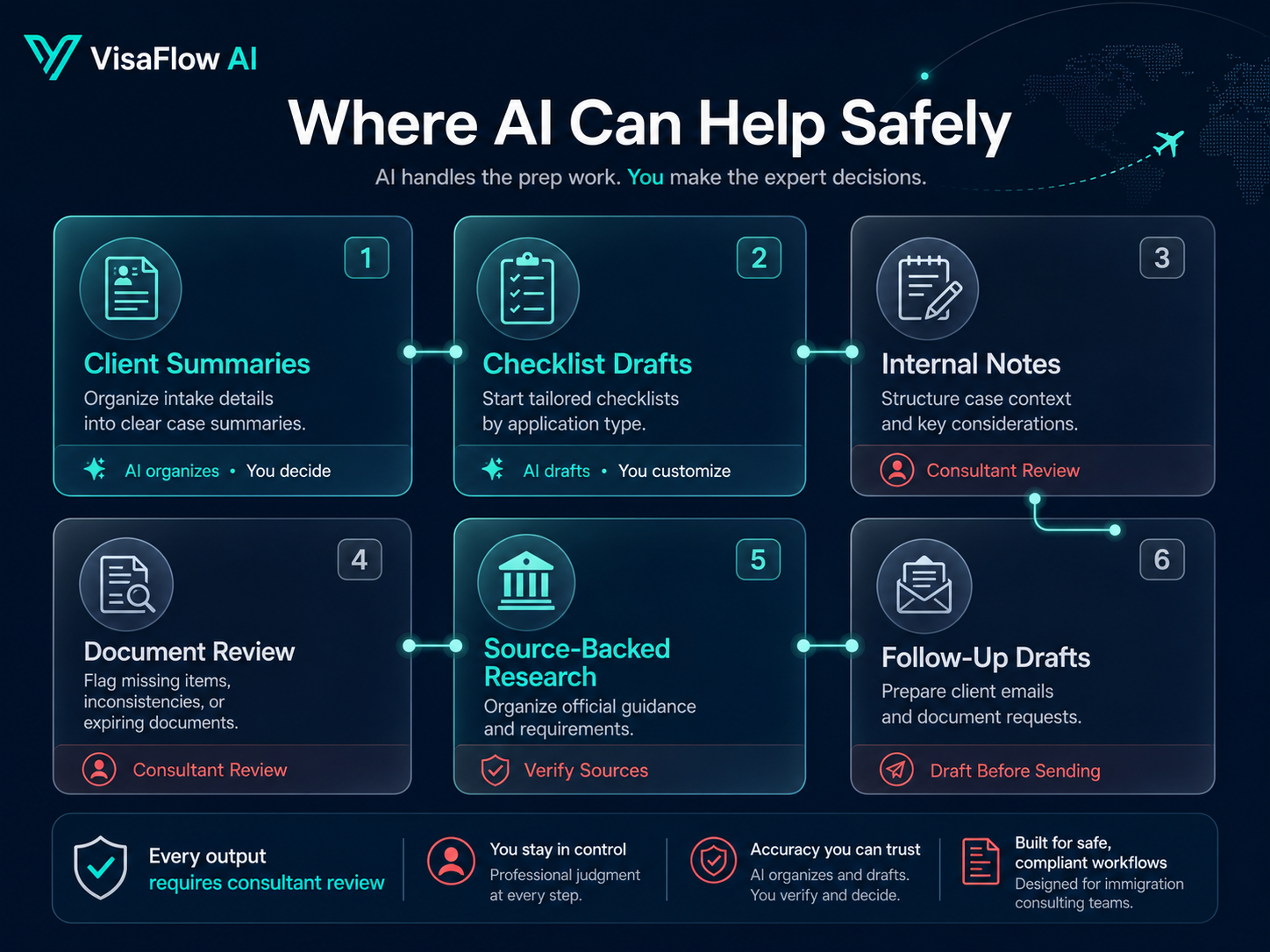
AI for immigration consultants works best when it handles structured, repeatable tasks and leaves final review to the professional. Here are specific areas where AI can reduce time without compromising quality:
Summarizing Client Information
AI can help organize client intake details into a structured summary for the consultant to review. Instead of reading through long email threads or scattered notes, the consultant gets a concise starting point that they verify and customize.
Organizing Document Checklists
Creating a draft document checklist for a common application type — study permit, visitor visa, work permit, spousal sponsorship — can be done quickly with AI assistance. The consultant reviews the draft, adjusts it for the specific client, and uses it as the basis for collection and tracking.
Drafting Internal Notes
Case notes, review summaries, and internal status updates follow predictable patterns. AI can produce a first draft based on case context, saving the consultant time on formatting and structure while they focus on accuracy and professional judgment.
Reviewing Document Completeness
AI can cross-reference received documents against a checklist and flag what is still outstanding. This reduces the manual effort of tracking submissions across multiple clients and helps the consultant see the full picture faster.
Finding Relevant Source-Backed Information
Research support tools can help find IRCC program requirements, document lists, and processing information from official sources. The consultant still verifies everything against the original source, but the initial search and organization is faster.
Preparing Questions for Client Follow-Up
When a document is missing or information is incomplete, AI can help draft a follow-up request based on what is needed. The consultant reviews the message, adjusts the tone, and sends it — saving time on repetitive drafting.
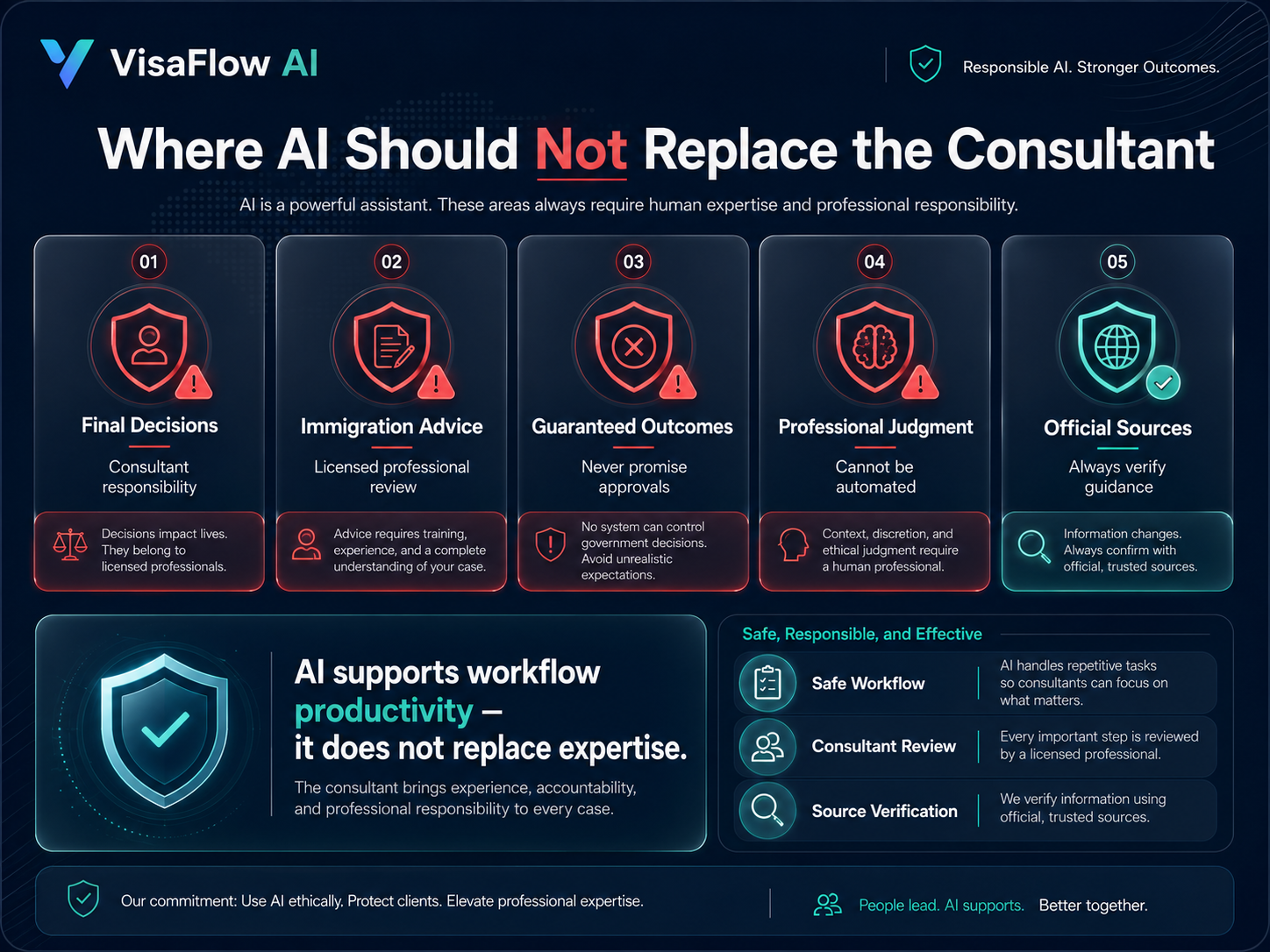
Where AI Should Not Replace the Consultant
Responsible use of AI in immigration consulting means understanding the boundaries. There are several things AI should never do in a professional immigration workflow:
- Make final decisions. AI cannot assess a client's specific circumstances, apply discretion, or make approval recommendations. That is the consultant's role.
- Provide legal or immigration advice. AI-generated drafts and summaries are workflow aids, not professional advice. Clients should always receive advice from a licensed consultant.
- Guarantee outcomes. No AI tool can predict or guarantee immigration application approval, processing speed, or IRCC decision.
- Replace professional judgment. Every AI-assisted output must be reviewed, verified, and customized by the consultant before it is used in client work.
- Act as an official source. AI outputs should always be verified against official IRCC sources and government guidance.
AI is a productivity tool, not a replacement for professional qualifications. The best results come from combining AI-assisted efficiency with thorough consultant review.
Why Source-Backed Workflows Matter
Immigration workflow automation is only useful if the information it produces is accurate and traceable. Source-backed workflows ensure that every draft, summary, or checklist references official material that the consultant can verify.
A source-backed approach means:
- AI outputs are linked to specific IRCC or official sources
- The consultant can easily check the original guidance
- Research notes include source URLs and dates checked
- Draft checklists are based on current program requirements
- The consultant maintains full control over what goes into a client file
Without source-backed workflows, AI-generated content is harder to verify and less reliable. Tools that prioritize source organization help consultants save time while maintaining accuracy.
How AI Can Reduce Context Switching
One of the biggest hidden productivity costs in immigration consulting is context switching. Moving between email for client communication, spreadsheets for checklist tracking, Google Drive for document storage, and browser tabs for IRCC research adds mental overhead to every task.
AI-assisted tools can reduce context switching by bringing common tasks into a single workspace. When a consultant can draft a follow-up, check a checklist, review document status, and look up program information without leaving the same interface, the time saved adds up across every client file.
This does not mean every tool needs to do everything. But reducing the number of separate systems used for daily work can significantly improve immigration consultant productivity.
Example Workflow: Before and After AI Assistance
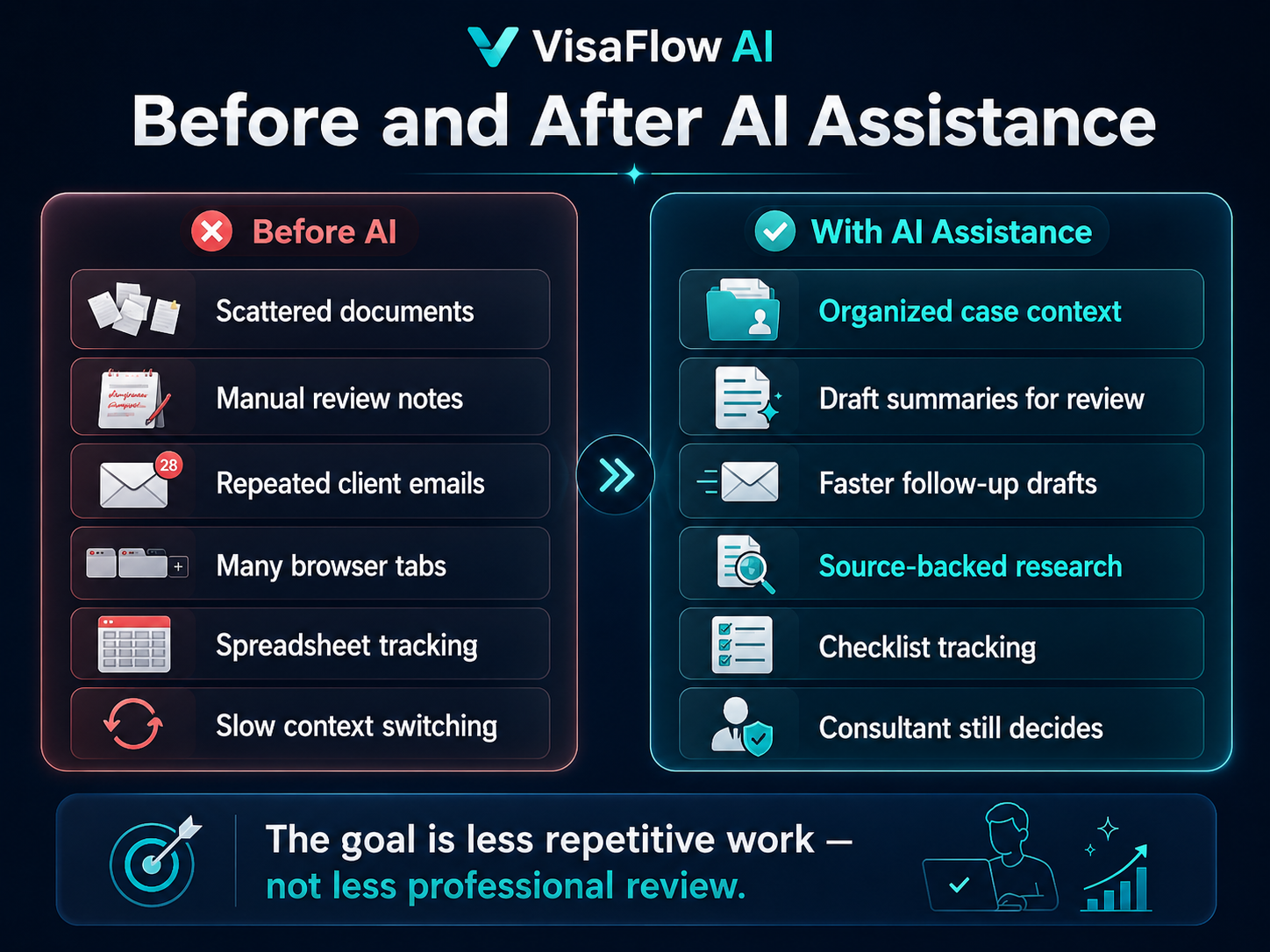
Here is a realistic comparison of how a typical file review task changes with AI-assisted workflow support:
Before AI
- Documents scattered across email attachments and download folders
- Manual review notes typed from scratch with no template
- Repeated client questions drafted one email at a time
- Time spent switching between email, spreadsheets, and research tabs
With AI-Assisted Workflow
- Centralized case context with organized document references
- Faster document organization with checklist-based tracking
- Better review preparation with draft summaries and notes
- Consultant still makes all final decisions and professional judgments
The key difference is not automation — it is reduction of repetitive work. The consultant spends less time on formatting, organizing, and drafting, and more time on review and client decisions.
How VisaFlow AI Supports Productivity
VisaFlow AI is AI-assisted immigration consultant software built specifically for Canadian immigration workflows. It helps consultants organize client files, create document checklist drafts, draft client communications, and support IRCC research — all with professional review required at every stage.
Key productivity features include:
- Client intake organization. Keep client information and case context in one workspace instead of scattered across email and notes.
- Document checklist workflows. Create reusable draft checklists for common application types and track received documents.
- AI-assisted drafting. Generate first drafts of client messages, follow-ups, and internal notes for consultant review.
- Research support. Find and organize IRCC program information with source-backed assistance.
- Case status tracking. See where each file stands and what needs attention without digging through separate tools.
VisaFlow AI keeps the consultant in control. It does not provide legal advice, guarantee outcomes, or replace professional judgment.
Explore VisaFlow AI features to see how the workspace supports daily consultant workflows.
What to Look For in AI Immigration Software
If you are evaluating AI immigration software for your practice, here are the most important factors to consider:
- Immigration-specific design. The tool should be built for immigration workflows, not adapted from generic project management software.
- Professional review built in. AI outputs should be structured for review, not treated as final. The consultant should always be in the loop.
- Source-backed research support. Look for tools that organize official sources alongside AI-generated content so verification is easy.
- Checklist and document workflow support. The ability to create, reuse, and track checklists is one of the highest-value features for immigration consultants.
- Clear compliance positioning. The tool should be transparent about what it does and does not do. Avoid any tool that claims to replace licensed professionals or guarantee outcomes.
- Data privacy and security. Immigration professionals handle sensitive information. The tool should follow security best practices and respect privacy obligations.
The right tool saves you time without adding risk. It supports your workflow without claiming to replace your expertise.
View VisaFlow AI pricing to see plans for solo consultants and growing teams.
Frequently Asked Questions
Yes. Many Canadian immigration consultants use AI-assisted tools to reduce repetitive work such as drafting client communications, organizing document checklists, and summarizing case information. All AI-generated outputs must be reviewed and verified by the consultant before use.
No. AI is a productivity tool, not a replacement for licensed immigration professionals. Consultants remain fully responsible for professional judgment, client advice, application review, and all decisions related to a client's case.
AI can assist with drafting client messages, creating document checklist drafts, organizing case notes, summarizing client information, and supporting IRCC research. These tasks reduce repetitive work while keeping the consultant in control of review and decisions.
Yes. Immigration work involves extensive document collection, organization, and review. AI-assisted tools can help track which documents have been received, flag missing items, and draft follow-up requests — reducing the manual effort of managing documents across multiple clients.
Look for immigration-specific workflows, professional review built into the process, source-backed research support, clear compliance boundaries, and strong data privacy practices. Avoid tools that claim to replace professional judgment or guarantee immigration outcomes.
Conclusion
How immigration consultants can save time with AI comes down to using the right tools for the right tasks. AI-assisted workflows can reduce repetitive drafting, organization, and research time — but the consultant remains responsible for every review, every decision, and every client outcome. The best approach combines AI-assisted efficiency with thorough professional oversight.
Explore AI-assisted immigration consultant software from VisaFlow AI to see how a purpose-built workspace can support your daily workflow.
For questions or a demo, contact the VisaFlow AI team.
VisaFlow AI is designed to support immigration consultant workflow productivity and information organization. It does not provide legal advice, replace professional judgment, guarantee immigration outcomes, or imply affiliation with IRCC or the Government of Canada. All outputs must be reviewed and verified against official sources by the consultant or authorized team member.